FIELD NOTE
Cloud Computing Kya Hai? Types, Benefits, Uses, Examples Aur Career Scope
Introduction 👋
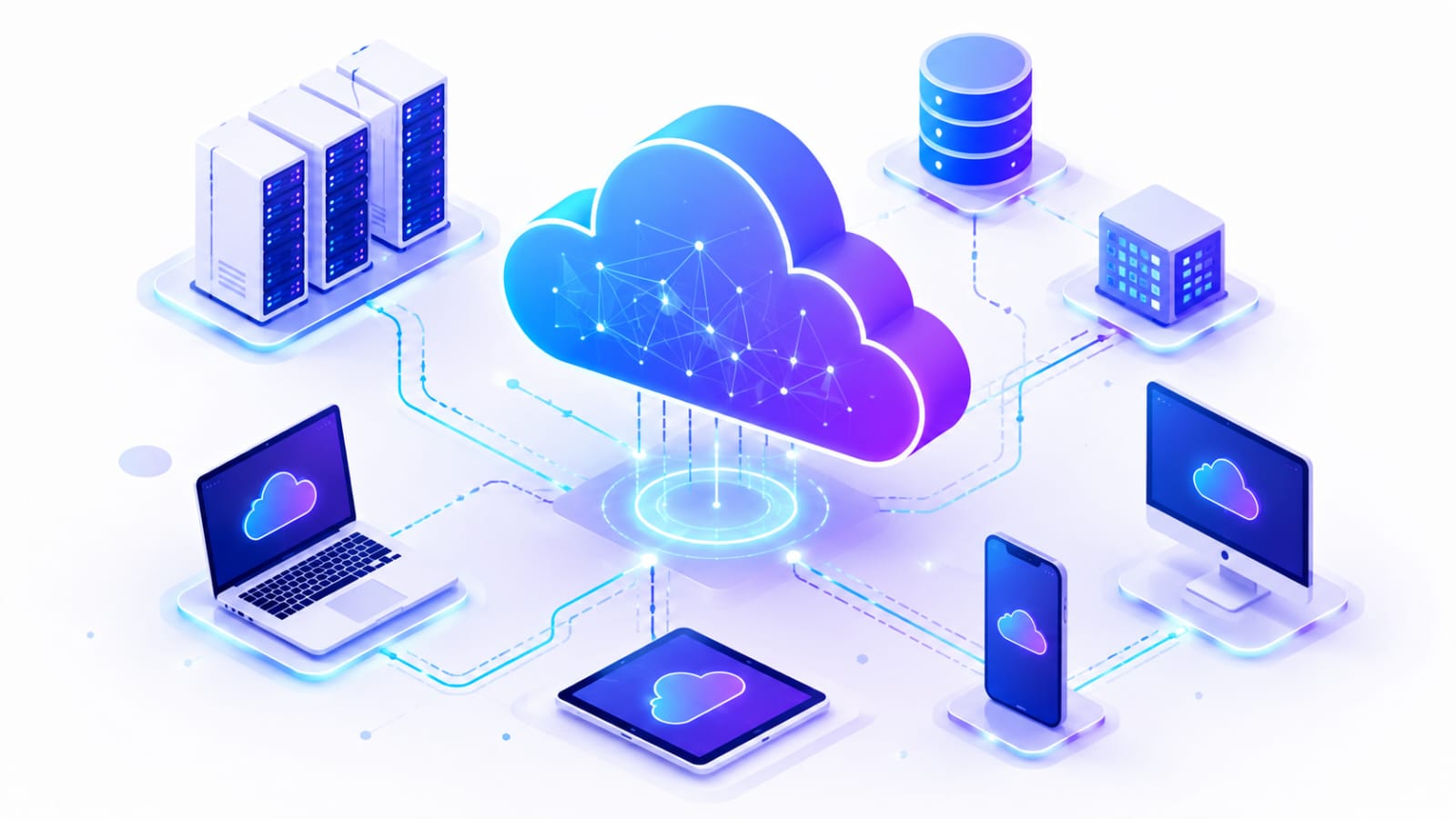
Aaj ke digital time me hum har din kisi na kisi form me Cloud Computing ka use karte hain. Google Drive par files store karna, Gmail par emails access karna, Netflix par videos dekhna ya online applications ka use karna. Ye sab cloud technology ke common examples hain.
Lekin Cloud Computing sirf files ko internet par store karne tak limited nahi hai. Iski madad se internet ke through servers, storage, databases, networking aur computing power jaise resources ka use kiya ja sakta hai, bina apna physical infrastructure setup kiye.
Aaj Cloud Computing ka use education, banking, healthcare, e-commerce, entertainment aur software development jaise kai fields me ho raha hai. Businesses ke saath-saath developers aur students ke liye bhi ye ek important technology ban chuki hai.
Isi wajah se Cloud Computing ko samajhna un students ke liye useful hai jo Technology, IT, Software Development ya Cloud Computing career me interest rakhte hain.
Is Article Me Kya Seekhenge? 📚
Is article me hum Cloud Computing ko simple Hinglish me step-by-step samjhenge. Aap jaanenge:
- Cloud Computing Kya Hai Aur Kaise Kaam Karta Hai?
- Cloud Computing Ke Components Aur Types Kya Hain?
- Cloud Deployment Models Kya Hote Hain?
- Cloud Computing Ke Benefits Aur Disadvantages Kya Hain?
- Cloud Computing Ke Uses Aur Real-World Examples
- AWS, Azure Aur Google Cloud Kya Hain?
- Cloud Computing Aur Traditional Computing Me Kya Difference Hai?
- Cloud Security Aur Privacy Kaise Maintain Ki Jati Hai?
- Cloud Computing Kaise Seekhein Aur Practical Skills Kaise Develop Karein?
- Courses, Certifications, Career Opportunities Aur Salary
- Cloud Computing Ka Future Scope Kya Hai?
To chaliye jaante hain ki Cloud Computing kya hai
Cloud Computing Kya Hai? 🌨️
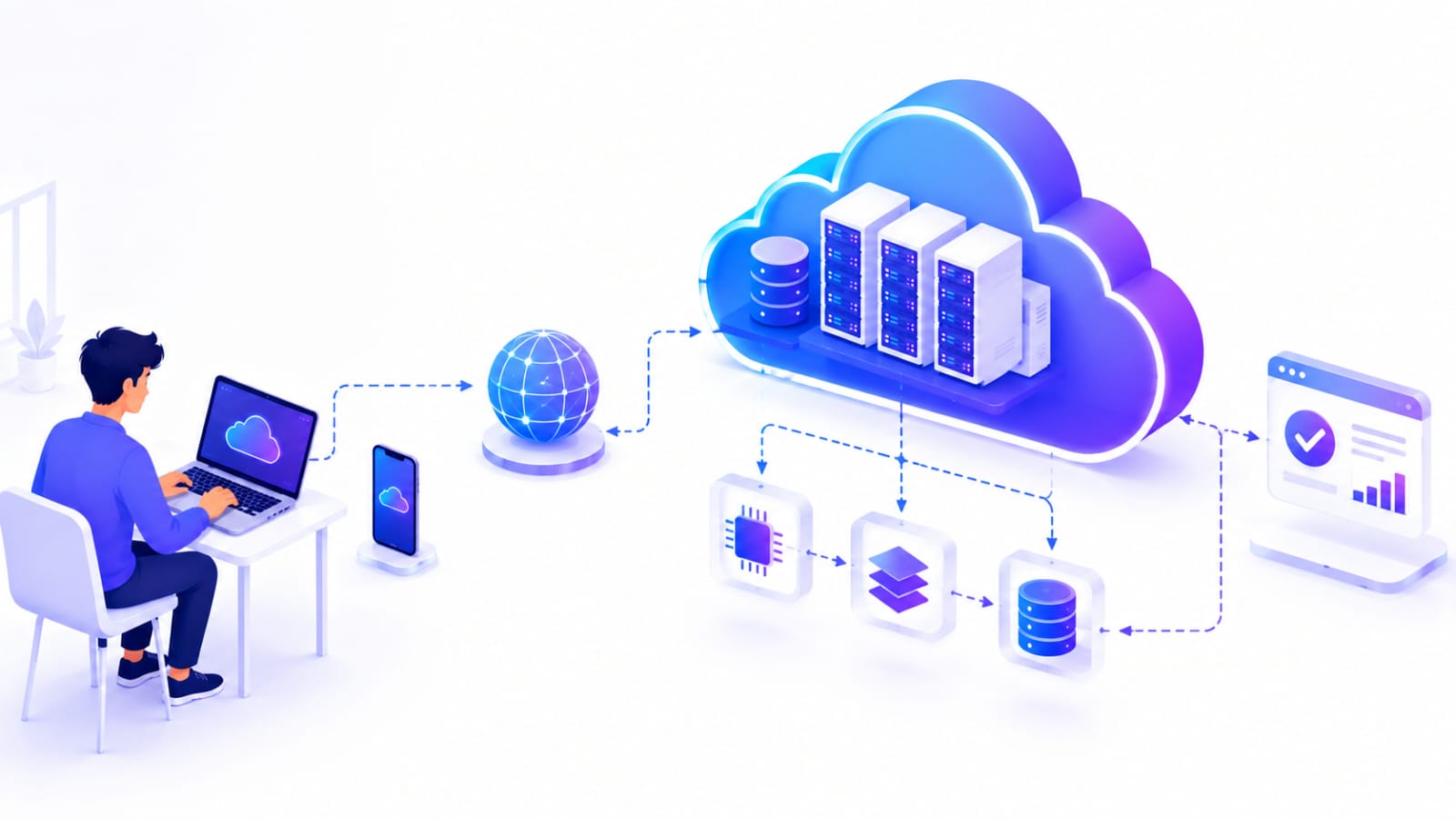
Cloud Computing ek technology hai jiske through internet ke madhyam se servers, storage, databases, networking aur computing resources ka use kiya ja sakta hai, bina apna physical infrastructure kharide ya maintain kiye.
Cloud Computing Kaise Kaam Karta Hai? ⚙️
Cloud Computing internet ke through users ko remote servers aur computing resources se connect karta hai. Jab aap kisi cloud service ka use karte hain, to aapka data ya request internet ke through cloud provider ke servers tak pahunchta hai, jahan uska processing ya storage hota hai.
Simple example se samjhein: agar aap Google Drive par koi file upload karte hain, to file internet ke through cloud servers tak jaati hai. Server us file ko store karta hai aur jab aap use dobara open karte hain, to cloud service internet ke through aapko file access karwati hai.
Cloud Computing Ka Basic Process 🔁
- User Request: User kisi cloud service ko access karta hai, jaise file upload karna ya application use karna.
- Internet Connection: User ki request internet ke through cloud provider ke infrastructure tak pahunchti hai.
- Cloud Servers: Cloud servers request ko process karte hain aur required resources provide karte hain.
- Data Processing & Storage: Data ko process ya store kiya jata hai, service ke according.
- Result User Tak Pahunchta Hai: Process hone ke baad required information ya service internet ke through user ko mil jati hai.
Is process ki wajah se users ko apne devices par har resource ko physically maintain karne ki zarurat nahi padti. Cloud provider infrastructure ko manage karta hai, jabki user internet ke through required services ka use karta hai.
Cloud Computing Ke Components 🧩
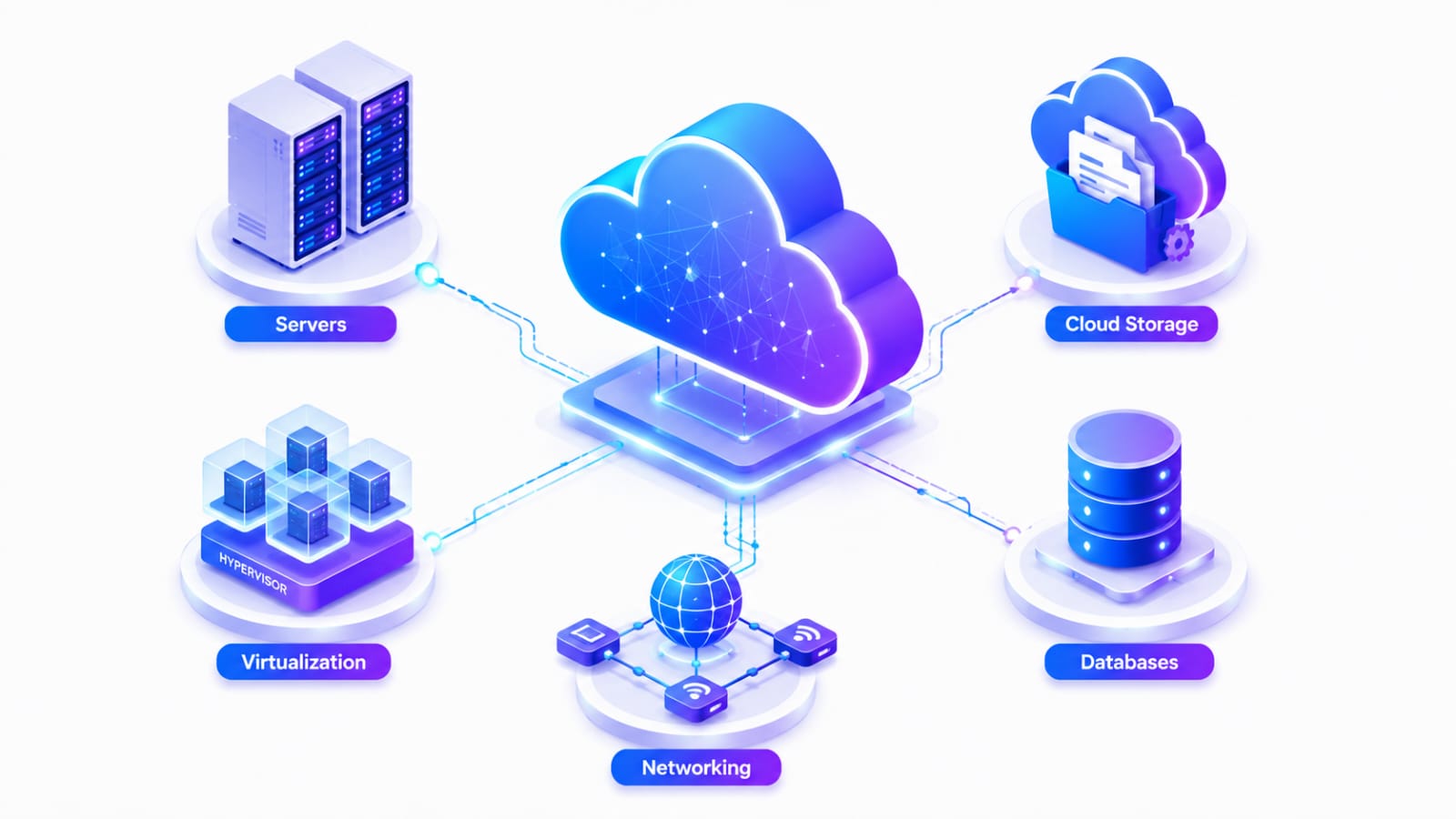
Cloud Computing ko samajhne ke liye uske main components ko samajhna important hai. Ye components milkar cloud services ko provide aur manage karne me help karte hain.
1. Servers 🖥️
Servers cloud computing ka important component hain. Ye applications ko run karne, requests process karne aur computing resources provide karne ka kaam karte hain.
2. Storage 💾
Cloud Storage ka use files, documents, images, videos aur other data ko remotely store karne ke liye kiya jata hai.
3. Databases 🗄️
Cloud Databases applications ke data ko store aur manage karne me help karte hain. Users internet ke through required data access kar sakte hain.
4. Networking 🌐
Networking users, servers aur different cloud resources ke beech communication establish karta hai. Internet aur network infrastructure cloud services ko accessible banane me important role play karte hain.
5. Virtualization ⚙️
Virtualization ek physical server ke resources ko multiple virtual environments me divide karne ki technology hai. Isse available resources ka better utilization kiya ja sakta hai.
Cloud Computing Components Ka Quick Overview 📊
| Component | Main Purpose |
|---|---|
| Servers | Applications run aur requests process karna |
| Storage | Data aur files store karna |
| Databases | Structured data manage karna |
| Networking | Resources aur users ke beech communication |
| Virtualization | Physical resources ko virtual environments me divide karna |
Cloud Computing Ke Types ☁️
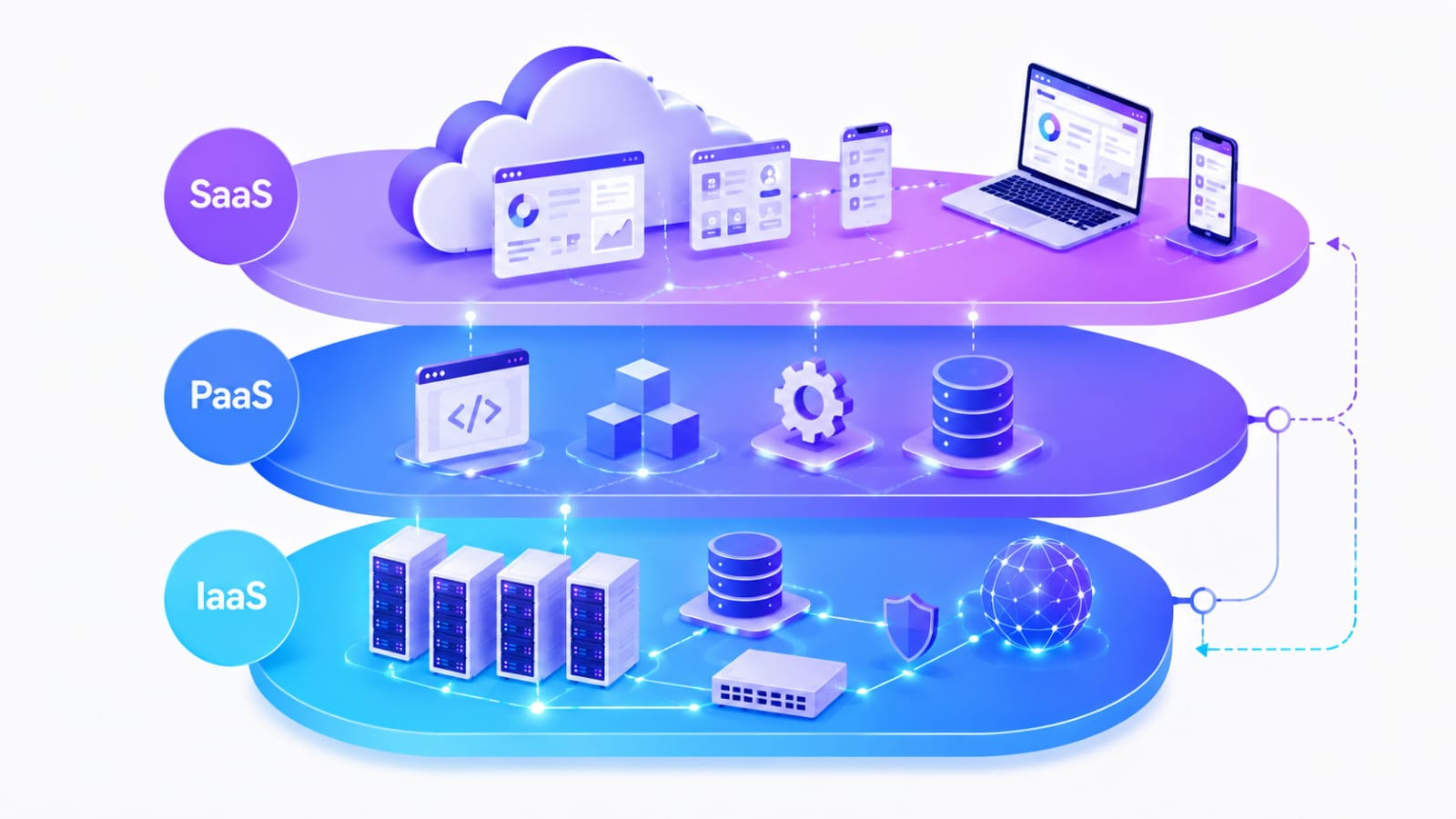
1. IaaS (Infrastructure as a Service) 🏗️
IaaS me users ko internet ke through basic computing infrastructure jaise virtual servers, storage aur networking provide kiya jata hai.
Isme user ko infrastructure par zyada control milta hai aur wo apni requirements ke according resources configure kar sakta hai.
Example: Amazon EC2, Google Compute Engine.
2. PaaS (Platform as a Service) 💻
PaaS developers ko applications develop, test aur deploy karne ke liye ek ready-made platform provide karta hai. Isme developers ko underlying servers aur infrastructure ko manually manage karne ki zarurat kam padti hai.
Example: Google App Engine, Microsoft Azure App Service.
3. SaaS (Software as a Service) 📱
SaaS me users ko internet ke through ready-to-use software applications access karne ko milti hain. User ko software install ya underlying infrastructure manage karne ki zarurat nahi hoti.
Example: Gmail, Google Docs, Microsoft 365.
Cloud Computing Types Ka Quick Overview 📊
| Type | Kya Provide Karta Hai | Common Users |
|---|---|---|
| IaaS | Servers, storage aur networking | Developers & businesses |
| PaaS | Application development platform | Developers |
| SaaS | Ready-to-use software | General users & businesses |
Cloud Deployment Models ☁️
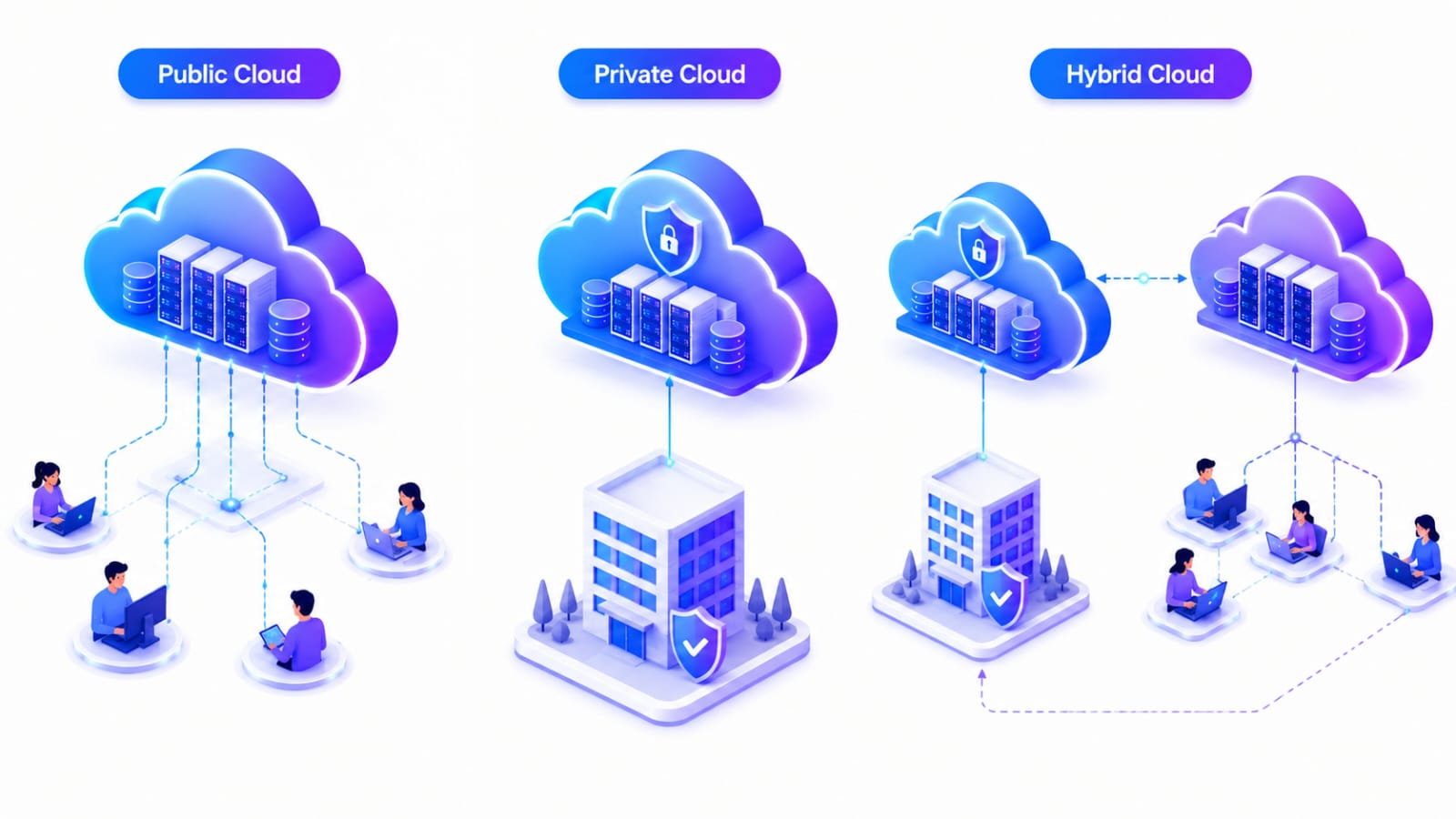
Cloud Deployment Model ye define karta hai ki cloud infrastructure ko kaise setup, manage aur access kiya jata hai. Common deployment models me Public Cloud, Private Cloud aur Hybrid Cloud shamil hain.
1. Public Cloud 🌎
Public Cloud me cloud infrastructure ko third-party cloud provider manage karta hai aur multiple users ya businesses internet ke through services use kar sakte hain.
Example: AWS, Microsoft Azure aur Google Cloud.
2. Private Cloud 🔒
Private Cloud ek specific organization ke liye dedicated cloud environment hota hai. Isme organization ko infrastructure aur data par zyada control milta hai.
Ye model un organizations ke liye useful ho sakta hai jahan security, privacy aur control important hote hain.
3. Hybrid Cloud 🔁
Hybrid Cloud Public Cloud aur Private Cloud ka combination hota hai. Organizations apni requirements ke according dono environments ka use kar sakti hain.
Ye model flexibility aur control ke beech balance provide kar sakta hai.
Cloud Deployment Models Ka Quick Overview 📊
| Model | Infrastructure | Common Use |
|---|---|---|
| Public Cloud | Shared infrastructure | General business & applications |
| Private Cloud | Dedicated infrastructure | Organizations requiring more control |
| Hybrid Cloud | Public + Private | Flexible & mixed workloads |
Cloud Computing Ke Benefits Aur Disadvantages ⚖️
Cloud Computing businesses, developers aur users ko kai advantages provide karta hai. Lekin iske kuch limitations bhi hain jinhe samajhna important hai.
Cloud Computing Ke Benefits ✅
-
Cost Saving: Apna physical infrastructure kharidne aur maintain karne ki zarurat kam ho sakti hai.
-
Scalability: Requirements ke according computing resources ko increase ya decrease kiya ja sakta hai.
-
Accessibility: Internet ke through cloud resources ko different devices aur locations se access kiya ja sakta hai.
-
Flexibility: Users apni requirements ke according different cloud services choose kar sakte hain.
-
Easy Backup: Cloud storage ka use data backup aur recovery ke liye kiya ja sakta hai.
-
Automatic Updates: Cloud providers infrastructure aur services ke updates ko manage karte hain.
Cloud Computing Ke Disadvantages ❌
-
Internet Dependency: Cloud services use karne ke liye generally stable internet connection ki zarurat hoti hai.
-
Security Risks: Improper configuration ya weak security practices ki wajah se data security risks ho sakte hain.
-
Downtime: Cloud provider ki service temporarily unavailable hone par users ko access problems face ho sakti hain.
-
Limited Control: Kuch cloud services me users ko underlying infrastructure par limited control milta hai.
-
Vendor Lock-In: Ek cloud provider ki services par zyada depend karne se baad me provider change karna difficult ho sakta hai.
Cloud Computing Ke Uses Aur Real-World Examples 🌎
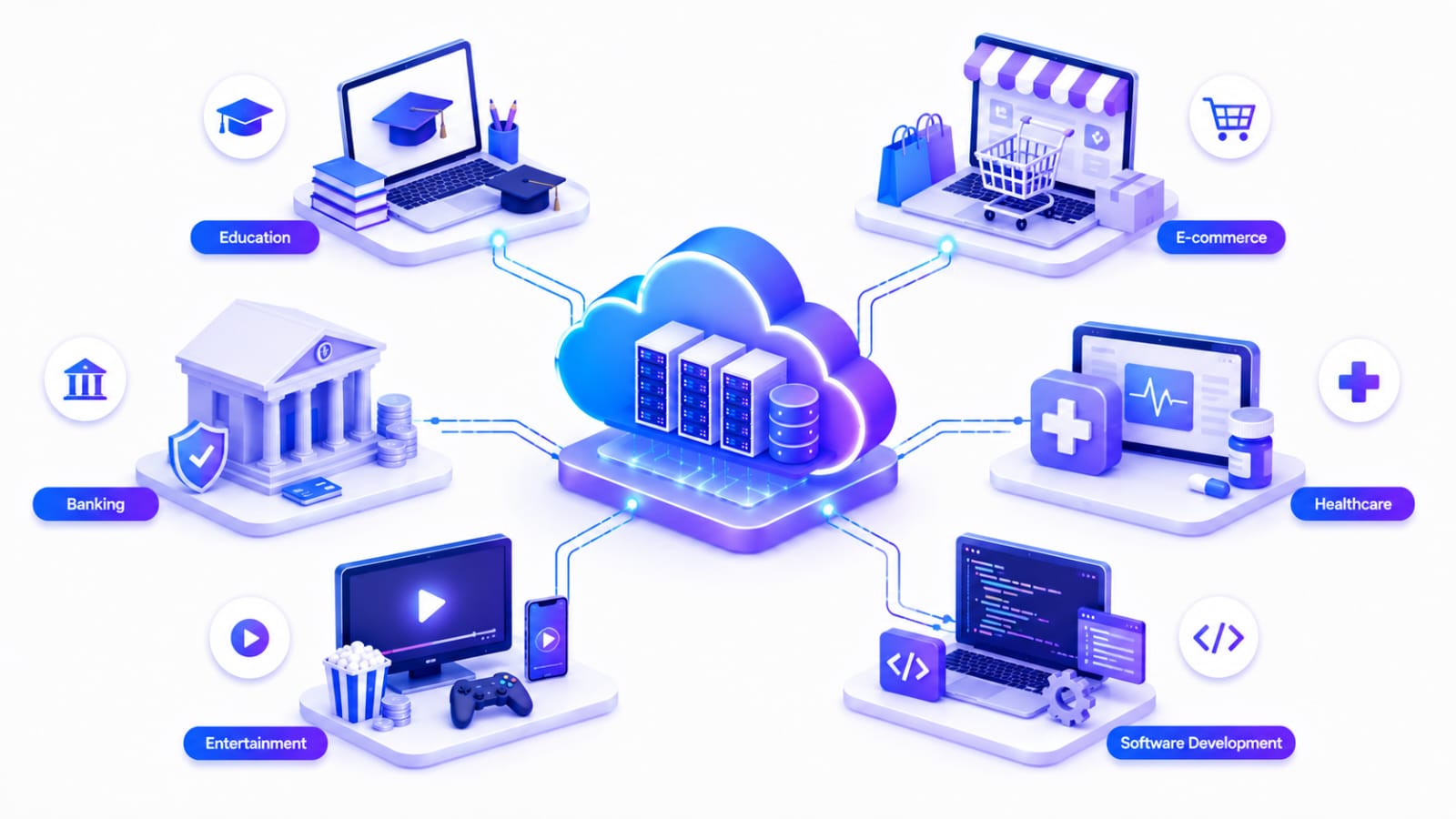
Cloud Computing ka use aaj education se lekar banking, healthcare, entertainment aur software development tak kai fields me kiya ja raha hai.
1. Education 🎓
Cloud services ki help se students online classes, notes, documents aur learning platforms ko internet ke through access kar sakte hain.
Example: Google Drive, Google Classroom aur online learning platforms.
2. Business & E-Commerce 🛒
Businesses cloud ka use data storage, websites, applications aur business operations manage karne ke liye karte hain.
Example: E-commerce websites jaise Flipkart aur Amazon apni applications aur databases ko cloud infrastructure par run kar sakti hain.
3. Banking & Finance 🏦
Banks aur financial organizations cloud technology ka use data processing, applications aur digital services ke liye kar sakte hain.
4. Healthcare 🏥
Healthcare organizations cloud ka use patient data, digital applications aur healthcare services ko manage karne ke liye kar sakti hain.
5. Entertainment 🎥
Streaming platforms cloud infrastructure ka use videos, music aur other digital content ko users tak deliver karne ke liye karte hain.
Example: Netflix aur Spotify jaise platforms cloud technology ka use karte hain.
6. Software Development 💻
Developers cloud ka use applications develop, test, deploy aur scale karne ke liye karte hain.
Example: Developers AWS, Microsoft Azure ya Google Cloud par applications deploy kar sakte hain.
Cloud Providers: AWS, Azure Aur Google Cloud ☁️
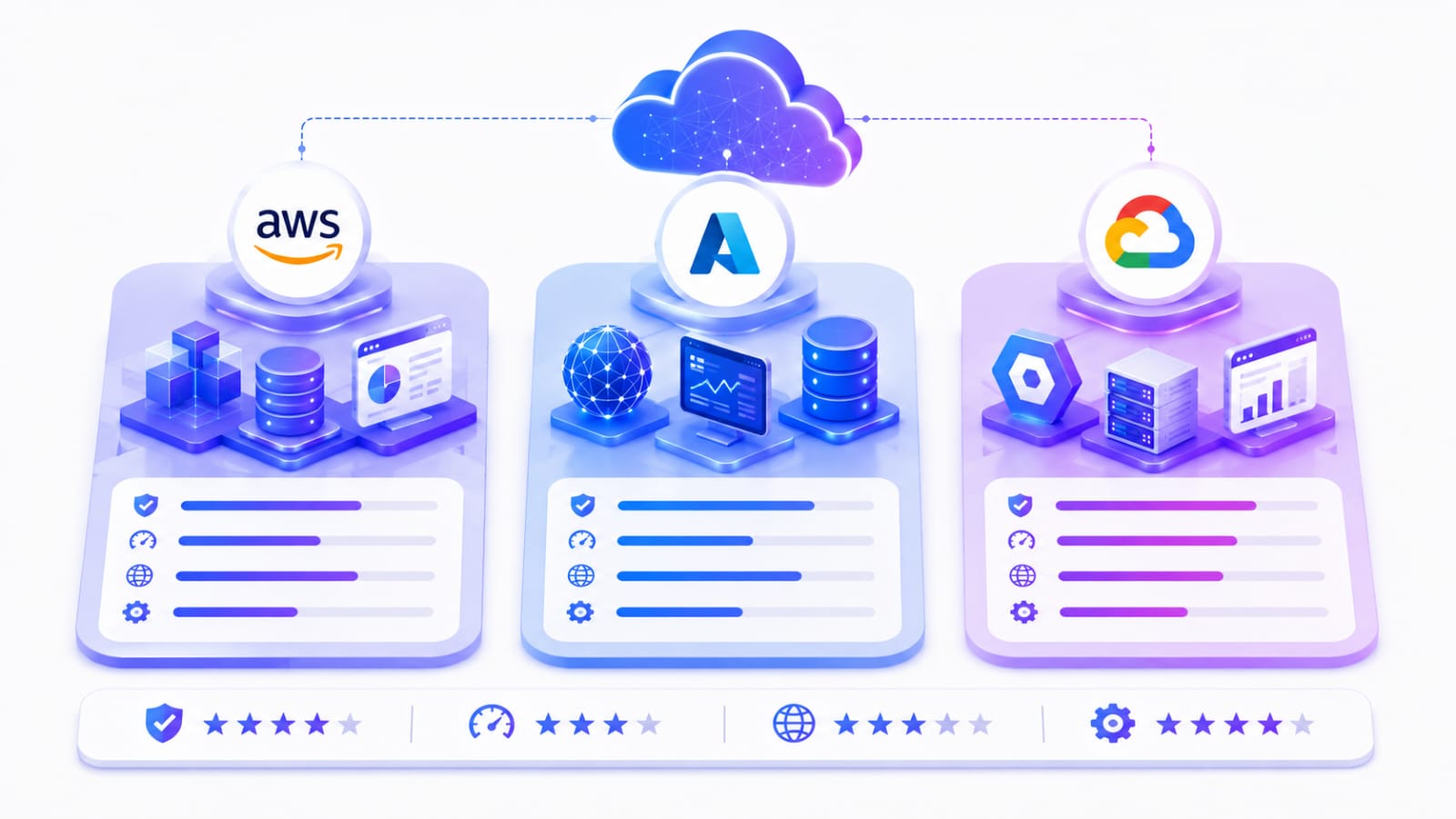
Cloud Computing ke liye duniya bhar me kai cloud providers available hain. Inme Amazon Web Services (AWS), Microsoft Azure aur Google Cloud sabse popular cloud platforms me se hain.
1. AWS (Amazon Web Services) 🟠
AWS Amazon ka cloud computing platform hai. Isme compute, storage, databases, networking, security aur other cloud services available hain.
AWS ka use startups se lekar large enterprises tak different types of organizations karte hain.
Example: Amazon EC2, Amazon S3 aur Amazon RDS.
2. Microsoft Azure 🔵
Microsoft Azure Microsoft ka cloud computing platform hai. Ye businesses aur developers ko applications develop, deploy aur manage karne ke liye different cloud services provide karta hai.
Example: Azure Virtual Machines, Azure Blob Storage aur Azure SQL Database.
3. Google Cloud ☁️
Google Cloud Google ka cloud platform hai. Isme computing, storage, databases, data analytics, AI aur machine learning jaise areas ke liye cloud services available hain.
Example: Google Compute Engine, Cloud Storage aur BigQuery.
Cloud Providers Ka Quick Overview 📊
| Cloud Provider | Company | Popular Services |
|---|---|---|
| AWS | Amazon | EC2, S3, RDS |
| Azure | Microsoft | Virtual Machines, Blob Storage, Azure SQL |
| Google Cloud | Compute Engine, Cloud Storage, BigQuery |
Cloud Computing vs Traditional Computing ⚖️
Cloud Computing aur Traditional Computing me main difference ye hai ki Cloud Computing me resources internet ke through access kiye jate hain, jabki Traditional Computing me organization ko apna physical infrastructure setup aur maintain karna padta hai.
Cloud Computing Aur Traditional Computing Me Difference 📊
| Feature | Cloud Computing | Traditional Computing |
|---|---|---|
| Infrastructure | Cloud Provider ka infrastructure use hota hai | Apna physical infrastructure hota hai |
| Cost | Generally usage ke according payment | Hardware aur maintenance ka upfront cost |
| Scalability | Resources easily increase ya decrease kiye ja sakte hain | Resources scale karna comparatively difficult ho sakta hai |
| Maintenance | Cloud provider infrastructure manage karta hai | Organization ko khud infrastructure maintain karna padta hai |
| Accessibility | Internet ke through different locations se access | Generally local network ya physical infrastructure par depend |
| Setup Time | Resources relatively quickly provision kiye ja sakte hain | Hardware setup karne me zyada time lag sakta hai |
| Control | Service ke according control available hota hai | Infrastructure par generally zyada direct control |
Cloud Security & Privacy 🔏
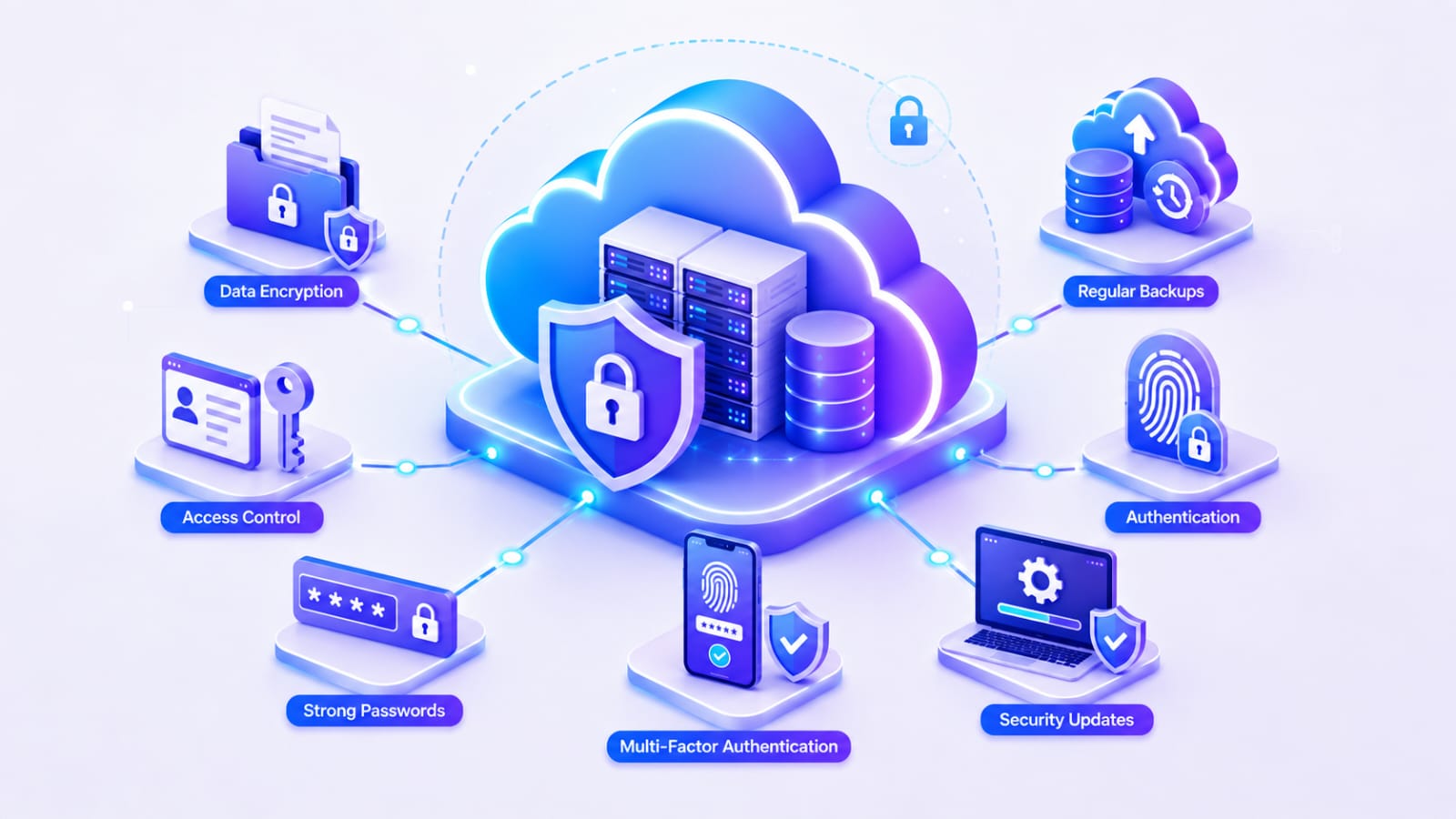
Cloud Computing me data aur applications ko secure rakhna important hai. Cloud providers security ke liye different technologies aur practices use karte hain, lekin users aur organizations ko bhi apni security ka dhyan rakhna chahiye.
Cloud Security Ke Important Aspects 🛡️
-
Data Encryption: Data ko unauthorized access se protect karne ke liye encryption ka use kiya jata hai.
-
Access Control: Sirf authorized users ko specific data aur resources ka access diya jana chahiye.
-
Strong Passwords: Accounts ko secure rakhne ke liye strong aur unique passwords use karne chahiye.
-
Multi-Factor Authentication: Extra verification layer add karke account security improve ki ja sakti hai.
-
Regular Backups: Important data ka regular backup rakhna data loss ke risk ko reduce kiya ja sakte hai.
-
Security Updates: Applications aur systems ko updated rakhna known security vulnerabilities ko reduce karne me help karta hai.
Cloud Privacy Kaise Maintain Karein 🔒
Cloud me personal ya business data store karte samay privacy policies, access permissions aur data handling practices ko samajhna important hai.
Users ko unnecessary permissions avoid karni chahiye aur sensitive data ko share ya store karte samay proper security measures follow karne chahiye.
💡 Pro Tip: Cloud security sirf cloud provider ki responsibility nahi hai. Strong passwords, MFA, proper access control aur regular backups jaise steps users ko bhi follow karne chahiye.
Cloud Computing Kaise Seekhein? 🚀
Agar aap beginner hain, to Cloud Computing ko step-by-step seekhna better rahega. Ek saath bahut saari technologies seekhne ke bajay pehle basics strong karein aur phir practical projects par focus karein.
1. Cloud Computing Basics Samjhein 📚
Sabse pehle Cloud Computing, servers, storage, networking, virtualization aur databases jaise basic concepts samjhein.
2. Networking Fundamentals Seekhein 🌐
Cloud Computing ke liye basic networking concepts samajhna useful hai. IP address, DNS, HTTP/HTTPS aur basic networking terms se shuruaat karein.
3. Ek Cloud Platform Choose Karein ☁️
Beginners ko shuruaat me AWS, Microsoft Azure ya Google Cloud me se kisi ek platform par focus karna chahiye.
4. Cloud Services Par Practice Karein 💻
Chosen platform ki basic services jaise virtual machines, storage, databases aur networking ko practically use karke samjhein.
5. Small Projects Banayein 🛠
Learning ko practical banane ke liye small projects create karein. Jaise ek website ko cloud par deploy karna ya cloud storage ka use karna.
6. Apna Portfolio Banayein 💼
Apne completed projects ko GitHub aur portfolio me showcase karein. Isse employers aur clients ko appki practical skills dikhane me help milegi.
💡 Pro Tip: Cloud Computing seekhte samay sirf theory par depend na karein. Learn → Practice → Build → Deploy → Improve approach follow karein.
Cloud Computing Courses & Certifications 🎓
Cloud Computing seekhne ke liye beginners free resources, online courses aur certifications ka use kar sakte hain. Pehle practical skills develop karein aur uske baad certification par focus karna better rahega.
Cloud Computing Courses Kaise Choose Karein? 📚
Course choose karte samay in points ko check karein:
- Beginner-Friendly: Course basic concepts se start karta ho.
- Practical Learning: Hands-on labs aur real projects included hon.
- Updated Content: Course me latest cloud technologies aur services cover ki gayi ho.
- Structured Learning: Topics proper sequence me arranged hon.
- Projects: Courses ke end me practical projects karne ka opportunity mile.
Popular Cloud Certifications 🏆
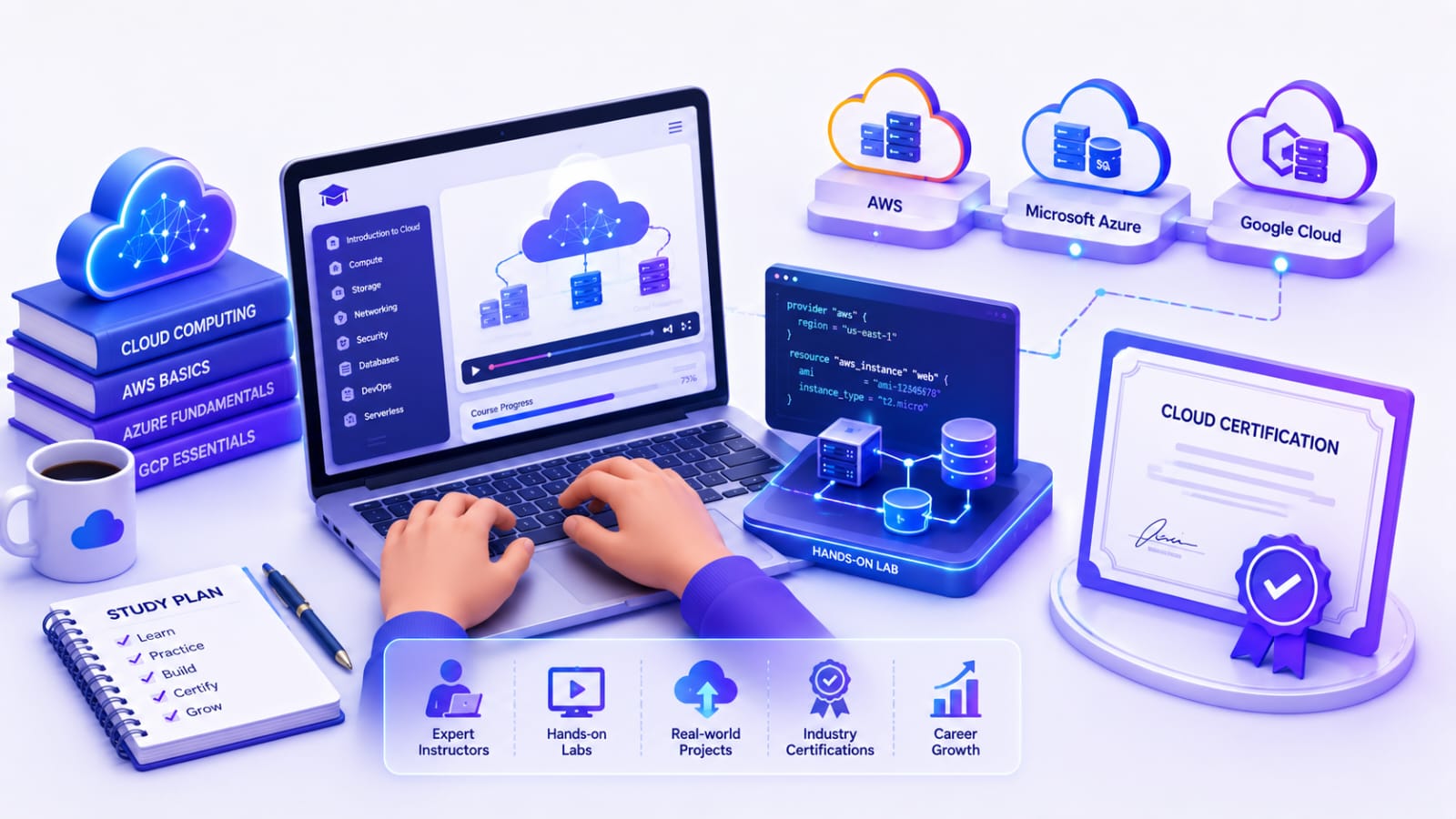
Cloud platforms ke apne certification programs hote hain. Beginners apne chosen platform ke according certification choose kar sakte hain.
- AWS Certifications: AWS platform se related skills validate karne ke liye.
- Microsoft Azure Certifications: Azure cloud services aur technologies ke knowledge ko validate karne ke liye.
- Google Cloud Certifications: Google Cloud technologies aur services ke knowledge ko validate karne ke liye.
💡 Pro Tip: Certification ko sirf certificate ke liye na karein. Pehle concepts aur hands-on skills develop karein, phir certification ke through apne knowledge ko validate karein.
Cloud Computing Me Career & Salary 💼
Cloud Computing seekhne ke baad students aur professionals ke liye IT industry me kai career opportunities available hain. Experience aur skills ke according career growth bhi possible hai.
Cloud Computing Me Career Options 🚀
Cloud Computing me kuch popular career roles hain:
- Cloud Engineer: Cloud infrastructure ko design, deploy aur manage karna.
- Cloud Architect: Scalable aur secure cloud solutions design karna.
- Cloud Developer: Cloud-based applications develop aur deploy karna.
- DevOps Engineer: Development aur deployment processes ko automate aur manage karna.
- Cloud Security Engineer: Cloud infrastructure aur data ki security maintain karna.
Cloud Career Roles Ka Quick Overview 📊
| Role | Main Work |
|---|---|
| Cloud Engineer | Cloud infrastructure manage karna |
| Cloud Architect | Cloud solutions design karna |
| Cloud Developer | Cloud-based applications develop karna |
| DevOps Engineer | Deployment aur automation manage karna |
| Cloud Security Engineer | Cloud security manage karna |
Cloud Computing Me Salary 💰
Cloud Computing professionals ki salary experience, skills, location, company aur job role ke according vary karti hai.
Beginners entry-level roles se start kar sakte hain aur experience ke saath higher-level positions ki taraf grow kar sakte hain.
💡 Pro Tip: Sirf certification par depend na karein. Cloud skills + hands-on projects + networking + problem-solving par focus karna career growth ke liye zyada useful hai.
Cloud Computing Ka Future Scope 🔮
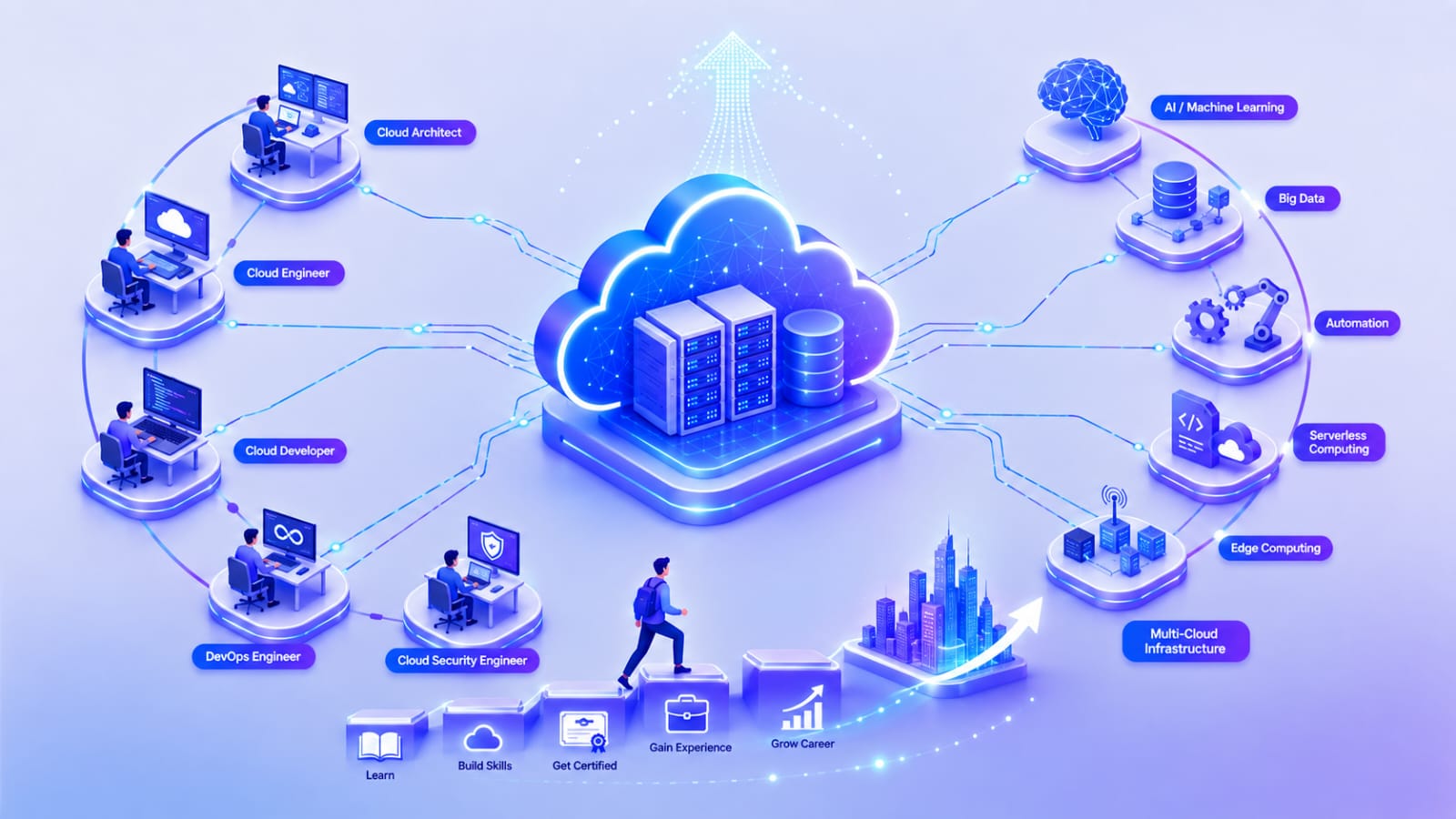
Cloud Computing ka use businesses, software development, data analytics aur AI jaise areas me continuously expand ho raha hai. Cloud technologies ke saath AI, Machine Leaning, Big Data aur automation ka integration bhi badh raha hai.
Cloud Computing Ka Future Kaisa Hai? 🚀
-
AI & Machine Learning: AI aur ML applications ke liye Cloud Computing scalable computing resources provide karta hai.
-
Serverless Computing: Developers ko servers ko directly manage kiye bina applications run aur deploy karne me help milti hai.
-
Edge Computing: Data ko users ke closer process karke latency ko reduce karne me help karta hai.
-
Cloud Security: Cloud adoption badhne ke saath cloud security professionals ki need bhi important rahegi.
-
Multi-Cloud & Hybrid Cloud: Organizations different cloud providers aur environments ko combine karke apni requirements ke according infrastructure manage kar sakti hain.
Students Ke Liye Future Opportunities 🎯
Students ke liye Cloud Computing ke saath Cloud Engineering, DevOps, Cloud Security, Cloud Development aur Cloud Architecture jaise career paths explore karne ke opportunities ho sakti hain.
Cloud Computing ke alawa students AI, Coding, Web Development, Data Analytics, Digital Marketing aur Communication jaise skills bhi develop kar sakte hain. In skills ke baare me detail me jaanne ke liye Students Ke Liye Top 10 Skills: Career Me Successful Hone Ke Liye Kya Sikhein? article bhi padh sakte hain.
💡 Pro Tip: Cloud Computing seekhte samay sirf ek platform ki services yaad na karein. Cloud fundamentals, networking, security aur practical projects par strong foundation banayein.
FAQs ❓
1. Cloud Computing Kya Hai ?
Cloud Computing ek technology hai jisme internet ke through servers, storage, databases, networking aur other computing resources ka use kiya jata hai.
2. Cloud Computing Ke Main Types Kaun Se Hain?
Cloud Computing ke main service models IaaS, PaaS aur SaaS hain. Deployment ke common models Public Cloud, Private Cloud aur Hybrid Cloud hain.
3. Cloud Computing Seekhne Ke Liye Coding Zaruri Hai Kya?
Coding har cloud role ke liye mandatory nahi hai. Lekin basic programming aur scripting ka knowledge Cloud Development, DevOps aur automation jaise roles me useful hota hai.
4. Beginners Ke Liye Kaunsa Cloud Platform Best Hai?
Beginners AWS, Microsoft Azure ya Google Cloud me se kisi ek platform se shuruaat kar sakte hain. Pehle ek platform ke fundamentals strong karna better hai.
5. Cloud Computing Me Career Bana Sakte Hain?
Haan, Cloud Computing me Cloud Engineer, Cloud Architect, Cloud Developer, DevOps Engineer aur Cloud Security Engineer jaise career options available hain.
6. Cloud Computing Seekhne Me Kitna Time Lagta hai?
Basic concepts samajhne me kuch weeks lag sakte hain, lekin practical skills develop karne ke liye regular practice aur projects ki zarurat hoti hai.
7. Kya Cloud Computing Students Ke Liye Useful Hai?
Haan, especially un students ke liye jo Technology, IT, Software Development, DevOps ya Cloud Career me interest rakhte hain.
8. Kya Cloud Computing Free Me Seekh Sakte Hain?
Haan, students free tutorials, documentation, practice resources aur cloud providers ke available free learning resources se basics seekh sakte hain.
9. Cloud Computing Aur Traditional Computing Me Kya Difference Hai?
Cloud Computing me resources internet ke through cloud provider se access kiye jate hain, jabki Traditional Computing me organization ko apna physical infrastructure setup aur maintain karna padta hai.
10. Cloud Computing Ka Future Scope Kaisa Hai?
Cloud Computing ka use AI, Machine Learning, Software Developent, data analytics aur other technology areas me badh raha hai, isliye is field me future career opportunities explore ki ja sakti hain.
Conclusion 📝
Cloud Computing aaj ke digital world ki ek important technology hai. Students ke liye cloud fundamentals, networking, practical projects aur hands-on experience develop karna future career ke liye useful ho sakta hai.
Agar aap beginner hain, to ek cloud platform se shuruaat karein, regular practice karein aur gradually apni skills improve karein. Consistency aur practical learning Cloud Computing me growth ke liye important hain.
Agar aapko yeh article upyogi laga ho, to ise apne doston ke saath share karein. AI, technology aur education se judi aur jankari ke liye hamare anya blogs bhi padh sakte hain.
SHARE THIS ARTICLE