FIELD NOTE
Cybersecurity Kya Hai? Types, Importance aur Online Safety Tips
Introduction 👋
Aaj ke digital zamane mein hum internet ka use shopping, banking, social media, online classes aur work ke liye karte hain. Lekin internet ke badhte use ke saath phishing, malware, ransomware, password theft aur online fraud jaise cyber threats ka risk bhi badh gaya hai.
Cybersecurity humein apne computer, smartphone, online accounts aur personal data ko unauthorized access, cyber attacks aur online threats se protect karne mein madad karti hai. Sirf businesses hi nahi, balki har internet user ke liye cybersecurity ko samajhna zaroori hai.
Is article mein hum jaanenge ki Cybersecurity kya hai, iske types kaun se hain, ye kyun zaroori hai aur online safe rehne ke liye kin baaton ka dhyan rakhna chahiye. Yeh guide beginners ke liye simple language mein taiyar ki gayi hai, taaki aap apni digital security ko behtar bana saken.
Is Article Mein Hum Kya Seekhenge? 📚
Is article mein hum Cybersecurity se judi important baaton ko simple language mein samjhenge. Aap jaanenge:
- Cybersecurity kya hai aur ye kyun zaroori hai
- CIA Triad — Confidentiality, Integrity aur Availability kya hain
- Cybersecurity ke different types aur unke practical examples
- Common cyber threats — Phishing, Malware, Ransomware, Password Attacks, Social Engineering aur Identity Theft
- Cyber attack kaise hota hai aur iska basic flow kya hota hai
- Cybersecurity aur online safety mein kya difference hai
- Online safe rehne ke practical tips
- Cybersecurity mein hone wali common mistakes
- Cyber fraud hone par kya steps lene chahiye
- Cybersecurity mein AI ka kya role hai
- Cybersecurity ka future aur career scope kya hai
Is article ke end tak aap apne personal data, online accounts aur devices ko cyber threats se protect karne ke basic tarike samajh jayenge.
1. Cybersecurity Kya Hai? 🔐
Cybersecurity ka matlab hai computers, smartphones, networks, applications, online accounts aur personal data ko unauthorized access, cyber attacks aur online threats se protect karna.
Jab hum internet ka use karte hain, tab hamari personal information—jaise passwords, bank details, photos, emails aur documents—online store ya share ki jaati hai. Hackers in details ko churaane, misuse karne ya systems ko damage pahunchane ki koshish kar sakte hain. Cybersecurity inhi risks se bachne ke liye security tools, technologies aur safety practices ka use karti hai.
Simple words mein, Cybersecurity digital duniya mein safety aur protection ka system hai. Iska purpose sirf hackers ko rokna nahi, balki data ko safe, private aur accessible rakhna bhi hai.
Cybersecurity ke through:
- Personal aur sensitive data ko protect kiya jaata hai
- Online accounts ko unauthorized access se bachaya jaata hai
- Malware, phishing aur ransomware jaise threats ko detect karne aur unse bachne mein help milti hai
- Computers, smartphones aur networks ko secure rakha jaata hai
- Online fraud aur identity theft ka risk kam karne mein madad milti hai
Cybersecurity sirf large companies ya government organizations ke liye zaroori nahi hai. Har internet user ko apne devices, accounts aur personal information ko secure rakhne ke liye basic cybersecurity practices follow karni chahiye.
Simple Definition: Cybersecurity ka main goal digital devices, systems, accounts aur data ko cyber threats aur unauthorized access se protect karna hai.
Official Source 🏛️
India mein CERT-In (Indian Computer Emergency Response Team) cyber security awareness aur safe online practices se related official resources provide karta hai.
Aap CERT-In ke Cyber Security Awareness Resources ko bhi dekh sakte hain, jahan cyber safety se related useful awareness material available hai.
2. Cybersecurity Kyun Zaroori Hai? 🛡️
Aaj ke time mein hamari personal information—jaise passwords, OTP, bank details, photos, emails aur documents—digital platforms par store ya share hoti hai. Agar ye information galat haathon mein chali jaaye, to financial loss, identity theft aur privacy problems ho sakti hain.
Cybersecurity ka purpose in risks ko kam karna aur digital systems, accounts aur data ko secure, private aur available rakhne mein help karna hai.
Cybersecurity Ki Importance
1. Personal Data Ki Protection 🔐
Cybersecurity practices aapke passwords, Aadhaar details, PAN information, photos aur personal documents ko unauthorized access aur misuse se protect karne mein help karti hain.
Example:
Agar kisi user ka email password leak ho jaata hai aur wahi password multiple accounts par bhi use ho raha hai, to attacker un accounts ko access karne ki koshish kar sakta hai.
Isliye:
- Har important account ke liye unique password use karein
- Jahan available ho, Two-Factor Authentication (2FA) enable karein
- Sensitive information ko unnecessary platforms par share na karein
2. Online Banking Aur Payments Ki Security 💳
UPI, net banking aur online shopping ke badhte use ke saath online payment fraud ka risk bhi important concern hai. Cybersecurity practices phishing messages, malicious apps aur fake payment links jaise threats se bachne mein help karti hain.
Agar aap UPI fraud ke common methods aur UPI scam se bachne ke practical tarike detail mein samajhna chahte hain, to hamara UPI Scam Kya Hai? Aur UPI Fraud Se Kaise Bachein? article bhi padh sakte hain.
Example:
Maan lijiye kisi user ko message milta hai:
Aapka KYC expire ho gaya hai. Account activate karne ke liye yahan click karein.
Link par click karne ke baad fake website user se OTP, password ya bank details maang sakti hai.
Aise messages par bina verify kiye click karne ya sensitive information share karne se bachna chahiye.
Important: Bank details, UPI PIN, password ya OTP kisi unknown person ke saath phone call, SMS, WhatsApp ya email par share na karein.
3. Identity Theft Se Bachav 🪪
Identity theft mein attacker kisi doosre vyakti ki personal information ka misuse karke fake accounts, financial transactions ya other fraudulent activities kar sakta hai.
Social media par excessive personal information share karna bhi unnecessary risk create kar sakta hai.
Isliye public posts mein date of birth, address, phone number ya identity documents jaise sensitive information share karne se bachna chahiye.
4. Devices Aur Networks Ki Security 💻
Laptop, smartphone, Wi-Fi router aur office networks malware ya unauthorized access ka target ban sakte hain.
Basic security practices jaise:
- Software aur apps ko updated rakhna
- Trusted security software ka use karna
- Strong Wi-Fi password rakhna
- Unknown files aur applications install na karna
- Public Wi-Fi par sensitive activities karte waqt extra caution rakhna
devices aur networks ko safer rakhne mein help kar sakti hain.
5. Businesses Aur Organizations Ki Protection 🏢
Businesses ke liye cyber attack ka impact sirf data loss tak limited nahi hota. Isse:
- Customer information leak ho sakti hai
- Business operations disrupt ho sakte hain
- Financial loss ho sakta hai
- Company ki reputation damage ho sakti hai
- Legal aur compliance problems create ho sakti hain
Isliye organizations ko employee security training, access control, regular backups, network monitoring aur incident response planning par focus karna chahiye.
Cyber Attack Ka Ek Simple Scenario 🎯
Maan lijiye ek employee ko courier company ke naam se ek email milta hai. Email mein ek invoice attachment hoti hai. Employee bina verify kiye file open karta hai aur malware system mein install ho jaata hai.
Iske baad attacker:
- Login credentials chura sakta hai
- Company ke network mein unauthorized access lene ki koshish kar sakta hai
- Important files ko encrypt kar sakta hai
- Data leak karne ki dhamki de sakta hai
Ab jab hum cybersecurity ki importance samajh chuke hain, next section mein hum Cybersecurity Ke Basic Principles ko detail mein samjhenge.
3. Cybersecurity Ke Basic Principles Kya Hain? ⚙️
Cybersecurity ko samajhne ke liye CIA Triad ek important concept hai. Yahan CIA ka matlab Confidentiality, Integrity aur Availability hai.
Ye teen principles batate hain ki kisi data ya digital system ko secure rakhne ke liye kin basic goals ka dhyan rakhna chahiye
1. Confidentiality 🔐
Confidentiality ka matlab hai ki sensitive information ko sirf authorized person hi access kar sake.
Jaise aapke bank account details, passwords, personal documents aur private emails ko unauthorized person access nahi karna chahiye.
Example:
Agar kisi company ke employees ke salary records hain, to un records ko sirf authorized HR staff hi access kar sake. Har employee ko salary database ka access dena confidentiality ko weak kar sakta hai.
Confidentiality maintain karne ke liye strong passwords, access controls, encryption aur Two-Factor Authentication (2FA) jaise security measures use kiye ja sakte hain.
2. Integrity 🛡️
Integrity ka matlab hai ki data accurate aur trustworthy rahe aur bina authorization ke usmein changes na kiye ja sakein.
Example:
Maan lijiye kisi online banking system mein transaction amount ₹5,000 hai. Agar attacker unauthorized way se amount ko ₹50,000 mein change kar de, to data ki integrity compromise ho gayi.
Integrity maintain karne ke liye access controls, data validation, audit logs aur security monitoring jaise measures ka use kiya ja sakta hai.
3. Availability 🌐
Availability ka matlab hai ki authorized users ko zaroorat ke time system aur data available ho.
Agar kisi bank ka online banking system cyber attack ke wajah se kai ghanton tak unavailable ho jaaye, to customers apne accounts ya payments access nahi kar paayenge.

Example:
Agar kisi website ka server crash ho jaata hai ya ransomware ke wajah se important files inaccessible ho jaati hain, to service availability affect ho sakti hai.
Availability improve karne ke liye regular backups, reliable infrastructure, system monitoring aur disaster recovery planning important hote hain.
CIA Triad Ko Ek Table Se Samjhein 📊
| Principle | Simple Meaning | Example |
|---|---|---|
| Confidentiality | Data sirf authorized person access kare | Password-protected account |
| Integrity | Data bina permission ke change na ho | Correct transaction records |
| Availability | Zaroorat ke time system available rahe | Backup aur reliable servers |
Simple Formula:
Confidentiality = Data ko private rakhna
Integrity = Data ko accurate rakhna
Availability = Data aur system ko accessible rakhna
CIA Triad Kyun Important Hai? 🎯
Cybersecurity mein sirf data ko secret rakhna enough nahi hai. Data accurate bhi hona chahiye aur jab authorized user ko zaroorat ho, tab available bhi hona chahiye.
Isi wajah se Confidentiality, Integrity aur Availability ko cybersecurity ke basic principles ke roop mein samjha jaata hai.
Ab jab hum cybersecurity ke basic principles samajh chuke hain, next section mein hum Cybersecurity Ke Different Types ko detail mein samjhenge.
4. Cybersecurity Ke Types Kaun-Kaun Se Hain? 🔐
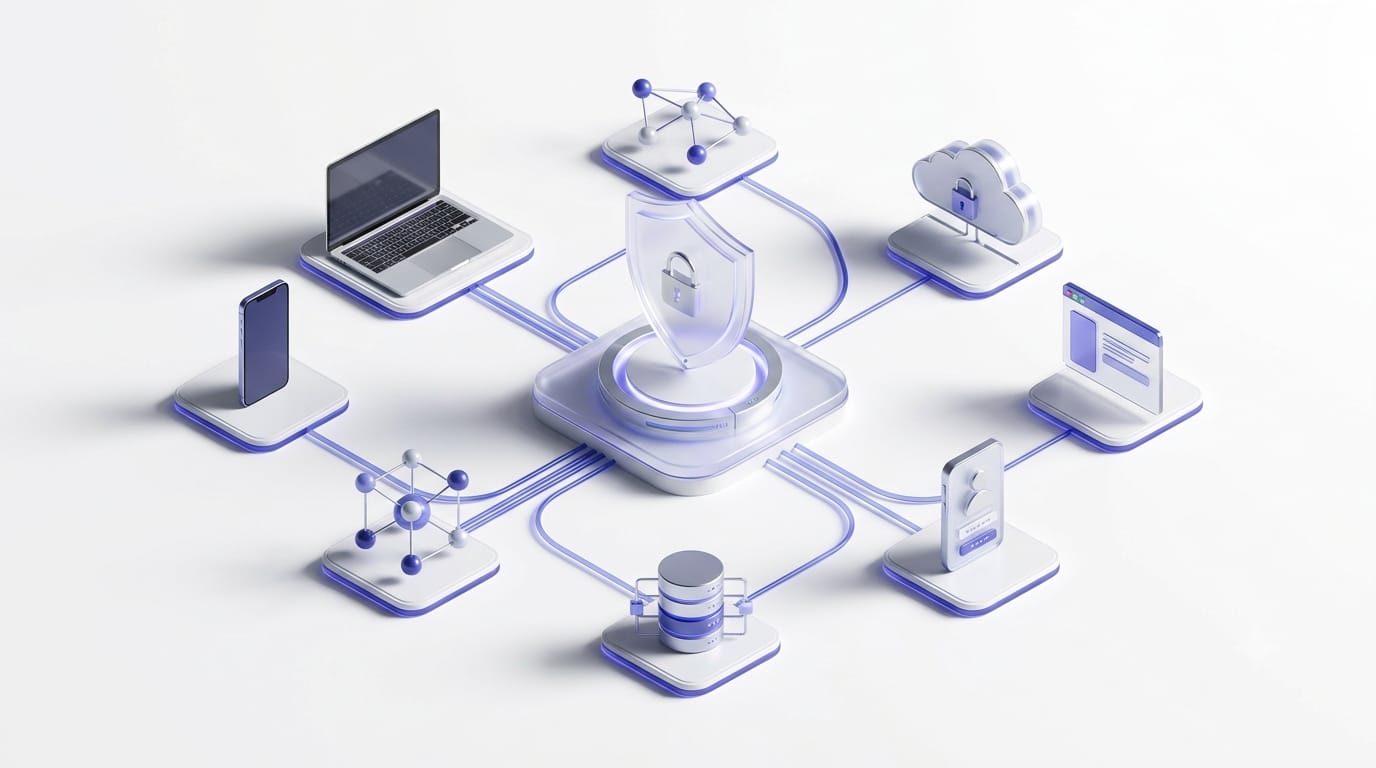
Cybersecurity ek single technology ya tool nahi hai. Iske andar alag-alag security practices, technologies aur processes shamil hote hain, jo networks, applications, devices, identities, cloud services aur data ko different types ke cyber risks se protect karne mein help karte hain.
Neeche cybersecurity ke important areas ko simple explanation aur practical examples ke saath samjhte hain.
1. Network Security 🌐
Network Security ka purpose computer networks aur unke traffic ko unauthorized access, suspicious activity aur cyber attacks se protect karna hai.
Ismein firewall, VPN, network monitoring, intrusion detection aur access control jaise security measures ka use kiya ja sakta hai.
Example:
Maan lijiye kisi company ke internal network par anjaan source se suspicious traffic aa raha hai. Firewall aur network monitoring system is activity ko detect karke suspicious connection ko block ya alert karne mein help kar sakta hai.
Public Wi-Fi par sensitive banking ya office accounts access karte waqt extra caution rakhein. Zaroorat padne par trusted VPN ka use kiya ja sakta hai, lekin VPN provider ki privacy policy aur data-handling practices ko check karna important hai.
2. Data Security 📁
Data Security ka focus important information ko theft, accidental deletion, unauthorized access aur unwanted modification se protect karna hota hai.
Ismein:
- Encryption
- Secure backups
- Access permissions
- Data classification
- Data loss prevention
jaise measures shamil ho sakte hain.
Example:
Maan lijiye kisi employee ka laptop lost ho jaata hai aur usmein company ke confidential documents stored hain. Agar sensitive files properly encrypted hain, to unauthorized person ke liye unhe directly read karna significantly more difficult ho sakta hai.
3. Application Security 💻
Application Security ka matlab websites, software aur mobile applications ko security vulnerabilities aur misuse se protect karna hai.
Security ko application launch hone ke baad add karne ke bajay development process ke beginning se hi consider karna better practice hai.
Ismein:
- Secure coding
- Input validation
- Authentication aur authorization
- Code testing
- Dependency updates
- Vulnerability scanning
jaise practices shamil ho sakti hain.
Example:
Maan lijiye ek shopping website user ke input ko properly validate nahi karti. Attacker specially crafted input ke through application ke behaviour ko manipulate karne ki koshish kar sakta hai.
Application security ke common risks ko samajhne ke liye OWASP Top 10 ek useful industry resource hai.
4. Endpoint Security 🖥️
Laptop, desktop, smartphone aur company ke workstations jaise internet-connected devices ko endpoints kaha jaata hai.
In devices ko malware, unauthorized software aur suspicious activity se protect karna Endpoint Security ka important part hai.
Common security measures mein:
- Antivirus ya endpoint security tools
- Automatic software updates
- Device encryption
- Screen lock
- USB device control
- Multi-factor authentication
shamil ho sakte hain.
Example:
Maan lijiye kisi employee ne phishing email mein diya gaya malicious attachment open kar diya. Endpoint security software unusual activity detect karke security alert generate kar sakta hai aur organization ko response lene mein help kar sakta hai.
5. Cloud Security ☁️
Aaj businesses aur users files, applications aur databases ke liye cloud services ka use karte hain. Cloud resources ko unauthorized access, data exposure aur misconfiguration se protect karna Cloud Security ka important part hai.
Ismein:
- Multi-Factor Authentication (MFA)
- Proper user permissions
- Secure cloud configuration
- Data encryption
- Activity monitoring
- Regular backups
jaise measures important hote hain.
Example:
Maan lijiye kisi employee ne company ke cloud storage folder ki sharing setting galti se “Anyone with the link” kar di. Agar folder mein sensitive documents hain, to unauthorized people un files ko access kar sakte hain.
Isliye cloud storage mein sharing permissions ko regularly review karna important hai.
Cloud security ke liye CISA Cloud Security Guidance aur NIST Cybersecurity Framework useful official resources hain.
6. Mobile Security 📱
Smartphones mein banking apps, OTP messages, personal photos, emails aur social media accounts ki sensitive information ho sakti hai. Mobile devices ko cyber threats se protect karna Mobile Security ka important part hai.
Useful practices:
- Apps sirf trusted official app stores se download karein
- Unnecessary app permissions disable karein
- Screen lock aur biometric authentication enable karein
- Operating system aur apps updated rakhein
- Unknown APK files install karne se bachein
- Lost phone ke liye remote lock ya erase feature enable rakhein
Example:
Maan lijiye koi fake photo-editing app unnecessarily SMS, contacts ya accessibility permissions maangti hai. Agar app ke function ke liye ye permissions required nahi hain, to ye suspicious behaviour ho sakta hai.
7. Identity and Access Management (IAM) 👤
Identity and Access Management (IAM) ka purpose ye ensure karna hai ki ahi person ko sahi resource ka appropriate access mile.
IAM mein:
- Strong authentication
- Multi-Factor Authentication (MFA)
- Role-based access
- Single Sign-On (SSO)
- Least privilege
- Regular access review
jaise concepts important hain.
Example:
Maan lijiye ek company mein ek intern ko sirf marketing files par kaam karna hai. Usse complete financial database ka access dene ke bajay sirf uske role ke liye required resources ka access dena least privilege ka example hai.
8. Internet of Things (IoT) Security 🏠
Smart cameras, smart TVs, fitness bands, routers aur other connected devices ko secure karna IoT Security kehlaata hai.
IoT devices ke liye:
- Default username aur password change karein
- Firmware updates install karein
- Unused features disable karein
- Devices ko separate Wi-Fi network par rakhne par consider karein
- Device kharidne se pehle manufacturer ka security update/support record check karein
Example:
Maan lijiye kisi smart camera ka default password change nahi kiya gaya. Agar attacker ko device ki login details mil jaati hain, to woh camera ko unauthorized way se access karne ki koshish kar sakta hai.
9. Operational Security (OpSec) ⚙️
Operational Security (OpSec) mein sensitive information ko identify karna aur ye decide karna shamil hota hai ki us information ko kaun access karega, kahan store kiya jaayega aur kaise share kiya jaayega.
Ismein:
- Employee security training
- Information handling policies
- Access rules
- Secure document sharing
- Sensitive information classification
jaise practices shamil ho sakti hain.
Example:
Maan lijiye company ka confidential project document personal email ya public messaging group mein share kar diya jaata hai. Isse unauthorized people tak information pahunchne ka risk badh sakta hai.
10. Disaster Recovery Aur Business Continuity 🔄
Cyber attack, server failure, natural disaster ya accidental deletion ke baad systems aur data ko restore karna Disaster Recovery ka important part hai.
Business ko minimum disruption ke saath continue rakhne ki planning ko Business Continuity kaha jaata hai.
Important measures:
- Regular backups
- Offline ya appropriately protected backups
- Backup restoration testing
- Incident response plan
- Emergency contact list
- Alternate systems aur recovery procedures
Example:
Maan lijiye ransomware attack ki wajah se company ki important files inaccessible ho jaati hain. Agar company ke paas verified backups available hain, to recovery process mein un backups ka use karke systems aur data restore karne mein help mil sakti hai.
Ransomware ke baare mein detail mein hum aage Ransomware Kya Hai? section mein samjhenge.
Cybersecurity Types Ka Quick Comparison 📊
| Cybersecurity Type | Kya Protect Karta Hai? | Simple Example |
|---|---|---|
| Network Security | Networks aur network traffic | Firewall |
| Data Security | Files aur sensitive information | Encryption |
| Application Security | Websites aur software | Secure coding |
| Endpoint Security | Laptops, desktops aur other endpoints | Endpoint security software |
| Cloud Security | Cloud data aur services | Access permissions |
| Mobile Security | Smartphones aur tablets | App permission control |
| IAM | User identities aur access | MFA |
| IoT Security | Smart connected devices | Strong device password |
| Operational Security | Sensitive information handling | Access policies |
| Disaster Recovery | Data aur system restoration | Verified backup |
Important: Ye categories ek doosre se completely separate nahi hoti hain. Ek organization ko secure rakhne ke liye multiple security layers ek saath use ki ja sakti hain.
Official Cybersecurity Resources 🏛️
Cybersecurity ke baare mein reliable aur updated information ke liye official resources ko prefer karna chahiye:
- NIST Cybersecurity Framework
- CISA Cybersecurity Best Practices
- CERT-In – Indian Computer Emergency Response Team
- OWASP Top 10
Cybersecurity ke different types samajhne ke baad, next step hai ye samajhna ki attackers kin threats ka use karte hain. Ab hum Cyber Threats Kya Hote Hain? aur phishing, malware, ransomware jaise common threats ko detail mein samjhenge.
5. Common Cyber Threats Kya Hote Hain? ⚠️
Cyber threat kisi bhi potential danger, malicious activity ya technique ko kaha jaata hai jo computer, smartphone, network, application, online account ya personal data ko harm kar sakti hai.
Cyber threats ka purpose alag-alag ho sakta hai, jaise:
- Passwords aur login credentials churaana
- Personal ya financial information ka misuse karna
- Files ko encrypt karke ransom demand karna
- Systems ya websites ko unavailable karna
- Fake identity ke through fraud karna
- Sensitive data ko steal ya leak karna
- Business operations ko disrupt karna
Simple Difference: Cyber threat ek potential risk ho sakta hai, jabki cyber attack us threat ko use karke ki gayi actual malicious activity hoti hai.
Ab common cyber threats ko simple examples ke saath samajhte hain.
1. Phishing Kya Hai? 🎣
Phishing ek cyber attack technique hai jisme attacker kisi trusted person, company, bank, delivery service ya online platform ka impersonation karke user ko trick karne ki koshish karta hai.
Attacker ka purpose login credentials, OTP, financial information ya other sensitive details obtain karna ho sakta hai. Phishing email, SMS, phone call, social media message ya fake website ke through ho sakti hai.
Example:
Maan lijiye aapko ek message milta hai:
Aapka bank account suspend hone wala hai. KYC update karne ke liye yahan click karein.
Link ek fake website par le ja sakta hai jahan user se login details ya other sensitive information enter karne ko kaha jaaye.
Phishing Ke Common Forms
- Email Phishing: Fake email ke through information churaane ki koshish
- Smishing: SMS ya messaging apps ke through phishing
- Vishing: Phone call ke through phishing
- Spear Phishing: Kisi specific person ya organization ko target karke customized phishing
- Whaling: High-level executives ya important individuals ko target karne wali phishing
Phishing Se Kaise Bachein?
- Unexpected links par directly click na karein
- URL aur sender details carefully check karein
- OTP, password ya UPI PIN kisi ke saath share na karein
- Urgent ya threatening messages ko verify kiye bina action na lein
- Sensitive account open karne ke liye message ke link ke bajay official website/app use karein
CERT-In bhi phishing aur online scams se bachne ke liye user awareness aur verification ko important batata hai.
2. Malware Kya Hai? 🦠
Malware ka short form Malicious Software hai. Ye aisa software ya code hota hai jo computer, smartphone, network ya data ko harm karne, unauthorized access lene ya unwanted activity perform karne ke liye design kiya ja sakta hai.
Malware ke different forms ho sakte hain:
- Virus: Files ya programs ke saath attach hokar spread ho sakta hai
- Worm: Network ke through automatically spread kar sakta hai
- Trojan: Legitimate software ke naam par malicious program ho sakta hai
- Spyware: User ki activity ya information ko secretly collect karne ki koshish kar sakta hai
- Adware: Unwanted advertisements display kar sakta hai
- Ransomware: Files ya systems ko inaccessible bana kar ransom demand kar sakta hai
- Rootkit: System mein unauthorized access ko hide karne ki koshish kar sakta hai
Example:
Maan lijiye koi user kisi unknown website se cracked video editing software download karta hai. Software ke saath malicious program bhi install ho sakta hai, jo device ya personal information ko risk mein daal sakta hai.
Isliye software ko trusted source se download karna aur operating system aur applications ko updated rakhna important hai. CERT-In bhi malicious apps aur malware ke against updated software aur trusted sources use karne ki advice deta hai.
3. Ransomware Kya Hai? 🔒
Ransomware malware ka ek type hai jo files ya systems ko inaccessible bana sakta hai, commonly files ko encrypt karke. Attacker access restore karne ke badle ransom payment demand kar sakta hai.
Kuch ransomware attacks mein attackers data ko steal karke leak karne ki threat bhi de sakte hain. CERT-In ke ransomware material mein encryption, data exfiltration aur backup destruction jaise attack stages aur techniques document ki gayi hain.
Example:
Maan lijiye kisi employee ko invoice ke naam se ek malicious attachment milti hai. File open karne ke baad ransomware company ki important files ko encrypt kar deta hai. Files open nahi hoti aur attacker ransom demand karta hai.
Ransomware Se Bachne Ke Basic Steps
- Important files ka regular backup rakhein.
- Kam se kam ek backup ko offline ya appropriately isolated location par maintain karein.
- Backup ko kabhi-kabhi restore karke test karein.
- Operating system aur applications ko updated rakhein.
- Unknown attachments aur suspicious links se bachein.
- Important accounts par MFA enable karein.
- Cracked ya unknown software install na karein.
Agar ransomware attack ka suspicion ho, affected device ko network se isolate karna aur incident response process follow karna important ho sakta hai. CERT-In bhi affected systems ko isolate karne, relevant logs preserve karne aur verified backups se secure recovery par guidance deta hai.
Important: Ransom payment karne se files recover hone ki guarantee nahi hoti. Isliye prevention, backups aur proper recovery planning important hain.
4. Password Attacks 🔑
Weak, reused ya compromised passwords attackers ke liye unauthorized account access ka reason ban sakte hain.
Common password-related attacks mein:
- Brute Force: Different password combinations try karna
- Credential Stuffing: Pehle se leaked username-password combinations ko other websites par try karna
- Password Spraying: Common passwords ko multiple accounts par try karna
Example:
Agar aapne ek website par example 123 password use kiya aur wahi password multiple accounts par bhi use karte hain, to ek account ka password leak hone par other accounts bhi risk mein aa sakte hain.
Password Attacks Se Kaise Bachein?
- Har important account ke liye unique password use karein
- Long aur difficult-to-guess passwords/passphrases use karein
- Password manager ka use consider karein
- Important accounts par MFA enable karein
- Password ko kisi ke saath share na karein
CERT-In ki recent cybersecurity guidance bhi strong, unique credentials aur MFA ko recommend karti hai.
5. Social Engineering Kya Hai? 🧠
Social Engineering mein attacker technical vulnerability ke bajay human psychology aur trust ka misuse karke information ya access obtain karne ki koshish karta hai.
Attacker urgency, fear, authority ya trust ka use kar sakta hai.
Example:
Kisi employee ko phone aata hai aur caller khud ko company ke IT department ka member batata hai:
Aapke account mein security issue hai. Verification ke liye OTP bata dijiye.
Agar employee bina verify kiye OTP share kar deta hai, to attacker account access karne ki koshish kar sakta hai.
Isliye kisi bhi unexpected request mein identity verify karna important hai.
6. Identity Theft Kya Hai? 🪪
Identity theft mein kisi person ki personal information ka unauthorized use karke uski identity ko misuse karne ki koshish ki jaati hai.
Ismein information jaise:
- Name
- Phone number
- Identity documents
- Account credentials
- Financial information
ka misuse ho sakta hai.
Example:
Agar kisi attacker ko kisi person ke personal documents aur account details mil jaate hain, to woh un information ka misuse karke fraudulent activity karne ki koshish kar sakta hai.
Isliye sensitive documents ko unnecessarily share na karein aur public platforms par excessive personal information post karne se bachein.
7. DDoS Attack Kya Hai? 🌐
DDoS (Distributed Denial-of-Service) attack mein attacker multiple systems ya devices ka use karke kisi website, server ya online service par large amount of traffic/request bhejne ki koshish karta hai.
Iska purpose service ko slow ya unavailable banana ho sakta hai.
Example:
Maan lijiye kisi online shopping website ko normal users ki requests ke saath thousands of malicious requests bhi receive hone lagti hain. Server resources exhaust hone par genuine users ko website access karne mein problem ho sakti hai.
DDoS attacks ko CERT-In India mein documented cyber security incident categories mein include karta hai.
8. Kuch Aur Common Cyber Threats 🔎
Har cyber threat ko detailed section dena zaroori nahi hai. Kuch important threats ko short mein samajh sakte hain:
| Cyber Threat | Simple Meaning |
|---|---|
| Spyware | User ki activity ya information ko secretly monitor/collect karne wala malicious software |
| Insider Threat | Organization ke andar kisi authorized person ke access ka misuse |
| Supply Chain Attack | Trusted vendor, software ya service ko compromise karke target tak pahunchne ki koshish |
| Data Breach | Unauthorized access ke through sensitive data expose ya access hona |
| Fake Apps | Genuine app ka naam lekar malicious ya fraudulent application distribute karna |
| Account Takeover | Stolen credentials ya other techniques se kisi account par unauthorized control lene ki koshish |
CERT-In ki incident categories mein malware, ransomware, identity theft, phishing, DDoS, data breach, fake mobile apps, cloud attacks aur supply-chain related incidents jaise multiple threats covered hain.
Cyber Threats Ko Ek Simple Example Se Samjhein 🎯
Maan lijiye ek employee ko ek phishing email milti hai.
- Employee fake link par click karta hai.
- Fake website login credentials collect kar leti hai.
- Attacker credentials ka use karke account access karne ki koshish karta hai.
- Compromised account se further social engineering ya phishing ki ja sakti hai.
- Agar attacker ko organization ke systems tak access mil jaaye, to data theft ya ransomware jaise attacks ka risk create ho sakta hai.
Is example se samajh sakte hain ki real-world cyber attacks mein ek se zyada techniques ek saath use ho sakti hain. CERT-In ne bhi ransomware aur other cyber attacks ke context mein phishing, compromised credentials, vulnerabilities aur supply-chain attacks jaise multiple initial-access methods document kiye hain.
Cyber Threats Se Bachne Ka Basic Rule 🛡️
Think → Verify → Protect → Backup
Kisi bhi unexpected message, link, attachment ya login request par turant action lene ke bajay pehle verify karein. Important accounts ko MFA se secure karein, software updated rakhein aur important data ka reliable backup maintain karein.
Official Cybersecurity Resources 🏛️
Common cyber threats aur online safety ke baare mein updated information ke liye:
Ab jab hum common cyber threats samajh chuke hain, next section mein dekhenge ki Cyber Attack Kaise Hota Hai? aur attacker ka basic attack flow kya ho sakta hai.
6. Cyber Attack Kaise Hota Hai? ⚠️

Cyber attack tab hota hai jab koi attacker computer, mobile, network, website, application ya online account mein unauthorized access paane ya system ko harm karne ki koshish karta hai.
Iska purpose data churaana, account access karna, system damage karna, files encrypt karna ya financial fraud karna ho sakta hai.
Har cyber attack ka process same nahi hota, lekin ek common attack ko broadly kuch stages mein samjha ja sakta hai.
Cyber Attack Ke Common Steps 🎯
-
Target Select Karna:
Attacker kisi individual, company, website, application ya network ko target karta hai. -
Information Collect Karna:
Attacker target ke baare mein available information gather kar sakta hai, jaise email address, phone number, social media details ya company information. -
Weakness Dhoondhna:
Is stage par attacker weak password, outdated software, security vulnerability ya human mistake jaise potential weaknesses identify karne ki koshish kar sakta hai. -
Attack Karna:
Attacker phishing, malicious links, malware, fake websites ya stolen credentials jaise methods ka use karke target ko compromise karne ki koshish kar sakta hai. -
Unauthorized Access Lena:
Agar attack successful ho jaata hai, to attacker account, device, network ya database ka unauthorized access gain kar sakta hai. -
Nuksan Pahunchana Ya Data Ka Misuse Karna:
Access milne ke baad attacker data chura sakta hai, files encrypt kar sakta hai, information modify ya delete kar sakta hai, ya financial fraud karne ki koshish kar sakta hai.
Cyber Attack Ka Example 💡
Maan lijiye kisi user ko bank ke naam se ek fake email milti hai:
Aapka account verify nahi hua hai. Account continue rakhne ke liye yahan click karein.
User bina verify kiye link par click karta hai aur fake website par apna username aur password enter kar deta hai.
Attacker in credentials ka use karke account mein unauthorized access lene ki koshish kar sakta hai.
Ye example dikhata hai ki ek simple phishing attempt bhi serious security risk create kar sakta hai.
Isi tarah malware aur ransomware bhi cyber attacks ke common methods ho sakte hain. Aap inhe Common Cyber Threats section mein detail mein samajh sakte hain.
Cyber Attack Ka Risk Kaise Kam Karein? 🛡️
Cyber attacks ko completely eliminate karna possible nahi hai, lekin kuch basic security practices risk ko reduce karne mein help kar sakti hain:
- Strong aur unique passwords use karein
- Important accounts par Multi-Factor Authentication (MFA) enable karein
- Operating system aur applications ko updated rakhein
- Unknown links aur attachments ko verify kiye bina open na karein
- Important data ka regular backup rakhein
- Suspicious login requests aur messages ko carefully verify karein
Simple Rule: Kisi bhi unexpected message, link ya login request par turant action lene ke bajay pehle Think → Verify → Act karein.
Ab jab hum samajh chuke hain ki cyber attack kaise ho sakta hai, next section mein hum Cybersecurity aur Online Safety ke beech difference ko simple examples ke saath samjhenge.
7. Cybersecurity Aur Online Safety Ke Beech Difference 🔐
Cybersecurity aur Online Safety dono ka purpose digital world mein protection provide karna hai, lekin dono ka focus aur approach thoda different hota hai.
Simple words mein:
Cybersecurity technology, systems aur data ko cyber threats se protect karne par focus karti hai, jabki Online Safety users ko internet par safe aur responsible behaviour follow karne mein help karti hai.
Cybersecurity Kya Hai? 🛡️
Cybersecurity ka focus computers, smartphones, networks, websites, applications aur data ko unauthorized access, malware aur cyber attacks se protect karna hota hai.
Ismein technical security measures aur processes ka use kiya ja sakta hai, jaise:
- Firewalls
- Antivirus aur endpoint security
- Data encryption
- Secure backups
- Access controls
- Network monitoring
- Multi-Factor Authentication (MFA)
Example:
Agar kisi company ka firewall suspicious network traffic ko detect aur block karne mein help karta hai, to ye cybersecurity ka example hai.
Online Safety Kya Hai? 🌐
Online Safety ka focus internet use karte waqt users ko scams, fraud, privacy risks, fake websites aur harmful online interactions se bachne ke liye safe habits develop karne par hota hai.
Ismein:
- Suspicious links aur attachments se careful rehna
- Personal information unnecessarily share na karna
- Fake websites aur online scams ko identify karna
- Unknown people ke saath sensitive information share na karna
- Privacy settings ko appropriately configure karna
- Passwords aur MFA jaise basic account security measures use karna
jaise practices shamil ho sakti hain.
Example:
Agar aapko koi unknown person message karke OTP ya password maangta hai aur aap information share nahi karte, to ye online safety ka example hai.
Cybersecurity Aur Online Safety Mein Main Difference 📊
| Cybersecurity | Online Safety |
|---|---|
| Devices, systems, networks aur data ki protection par focus | User behaviour aur online activities ki safety par focus |
| Technical security measures aur processes ka use | Awareness aur safe online habits par zyada focus |
| Firewall, encryption, endpoint security aur access controls examples hain | Scam awareness, privacy protection aur suspicious links se bachna examples hain |
| Individuals ke saath businesses aur organizations ke liye bhi important | Har internet user ke liye important |
| Cyber attacks aur unauthorized access jaise technical risks ko address karta hai | Fraud, scams, privacy risks aur unsafe interactions jaise user-facing risks ko address karta hai |
Simple Example 🎯
Maan lijiye aapko ek suspicious bank message milta hai.
- Online Safety: Aap message ko verify kiye bina link par click nahi karte aur OTP share nahi karte.
- Cybersecurity: Aapke device mein security controls, updated software aur account protection unauthorized access ko prevent ya detect karne mein help karte hain.
Is example se samajh sakte hain ki dono concepts ek doosre ko complement karte hain.
Kya Online Safety Aur Cybersecurity Same Hain?
Nahi, dono exactly same nahi hain, lekin strongly connected hain.
Online safety mein user ki awareness aur behaviour important role play karta hai, jabki cybersecurity mein technical controls, security processes aur system protection important hote hain.
Lekin real-world mein dono ke areas overlap bhi kar sakte hain. For example, MFA ek technical security control hai, lekin user ka MFA enable karna online safety ka bhi important part ho sakta hai.
Dono Kyun Zaroori Hain? 🛡️
Sirf security tools use karna enough nahi hota. Agar user khud kisi fake website par sensitive information enter kar de, to security risk create ho sakta hai.
Isi tarah, careful online behaviour ke saath devices, accounts aur networks ko bhi properly secure rakhna zaroori hai.
Isliye safer digital experience ke liye:
Secure Technology + Safe Online Behaviour = Better Digital Protection
Ab jab hum Cybersecurity aur Online Safety ka difference samajh chuke hain, next section mein hum practical steps dekhenge ki Online Safe Kaise Rahein? aur daily internet use mein kin security habits ko follow karna chahiye.
8. Online Safe Kaise Rahein? 🛡️
Internet use karte waqt kuch simple security habits follow karke aap phishing, online scams, account takeover, malware aur data theft jaise risks ko reduce kar sakte hain.
Online Safety Ke Important Tips 🔐
-
Strong Aur Unique Password Use Karein:
Har important account ke liye alag aur difficult-to-guess password rakhein. -
MFA Enable Karein:
Email, banking, social media aur other important accounts par Multi-Factor Authentication (MFA) enable karein. -
Suspicious Links Se Bachein:
Unknown emails, SMS, WhatsApp messages ya suspicious links par bina verify kiye click na karein. -
OTP Aur PIN Share Na Karein:
OTP, UPI PIN, ATM PIN, password ya banking credentials kisi ke saath share na karein. -
Apps Trusted Sources Se Download Karein:
Unknown APK files, cracked software aur suspicious applications install karne se bachein. -
Software Updated Rakhein:
Operating system, browser, applications aur security software ko regularly update karein. -
Personal Information Limited Rakhein:
Social media aur public platforms par phone number, address, identity documents aur financial information unnecessarily share na karein. -
Website URL Verify Karein:
Sensitive information enter karne se pehle domain name aur website ki authenticity check karein. Sirf HTTPS dekhkar website ko genuine na maan lein. -
Public Wi-Fi Par Caution Rakhein:
Public ya unsecured Wi-Fi par banking aur other sensitive activities karne se bachein. -
Important Data Ka Backup Rakhein:
Important photos, documents aur work files ka regular backup maintain karein. -
Online Offers Aur Job Scams Verify Karein:
Unrealistic earning, lottery, investment ya job offers par bina verify kiye trust na karein. -
AI-Generated Scams Se Alert Rahein:
Fake voice, video, messages ya websites convincing ho sakti hain. Sensitive requests ko independent source se verify karein.
Agar Suspicious Activity Ho To Kya Karein? 🚨
Agar aapko unauthorized transaction, suspicious login, account hack ya online fraud ka doubt ho:
- Turant relevant account ka password change karein.
- Bank ya concerned service provider ko immediately inform karein.
- Suspicious transaction ho to India mein 1930 par report karein.
- National Cyber Crime Reporting Portal par complaint submit karein.
- Relevant screenshots, messages aur transaction details ko preserve karein.
Simple Rule: Koi bhi message, call, link ya offer agar suspicious lage, to Stop → Verify → Then Act karein.
Official Online Safety Resources 🏛️
Reliable cybersecurity aur online safety information ke liye:
Ab jab hum online safe rehne ke practical ways samajh chuke hain, next section mein dekhenge ki Cybersecurity follow karte waqt log kaunsi common mistakes karte hain.
9. Cybersecurity Follow Karte Waqt Log Kaunsi Common Mistakes Karte Hain? ⚠️
Cybersecurity ke basic rules jaane ke baad bhi log kuch common mistakes karte hain, jinki wajah se unke accounts, devices aur personal data risk mein aa sakte hain.
Common Cybersecurity Mistakes 🚫
- Har account ke liye same password use karna
- Weak passwords jaise
123456, naam ya date of birth rakhna - OTP, PIN ya password kisi ke saath share karna
- Unknown links, emails aur attachments par bina verify kiye click karna
- Operating system, software aur apps ko update na karna
- Public Wi-Fi par banking ya other sensitive activities karna
- Fake websites aur phishing messages ko verify na karna
- Social media par unnecessarily personal information share karna
- Important accounts par MFA enable na karna
- Important files ka backup na rakhna
- Pirated software ya unknown sources se apps download karna
- Suspicious activity ko ignore karna ya report na karna
In Mistakes Se Kaise Bachein? 🛡️
In mistakes ko avoid karne ke liye basic security habits ko daily internet use ka part banayein:
- Unique passwords + MFA use karein
- Suspicious links aur messages ko verify karein
- Software aur apps updated rakhein
- Sensitive information unnecessarily share na karein
- Important data ka regular backup rakhein
- Suspicious activity ko ignore karne ke bajay immediately investigate aur report karein
Simple Rule: Cybersecurity sirf security tools install karne ka naam nahi hai. Safe technology + careful online behaviour dono zaroori hain.
In common mistakes ko samajhne ke baad, next section mein dekhenge ki agar cyber fraud ho hi jaaye to turant kya steps lene chahiye.
10. Agar Cyber Fraud Ho Jaaye To Turant Kya Steps Lein? 🚨
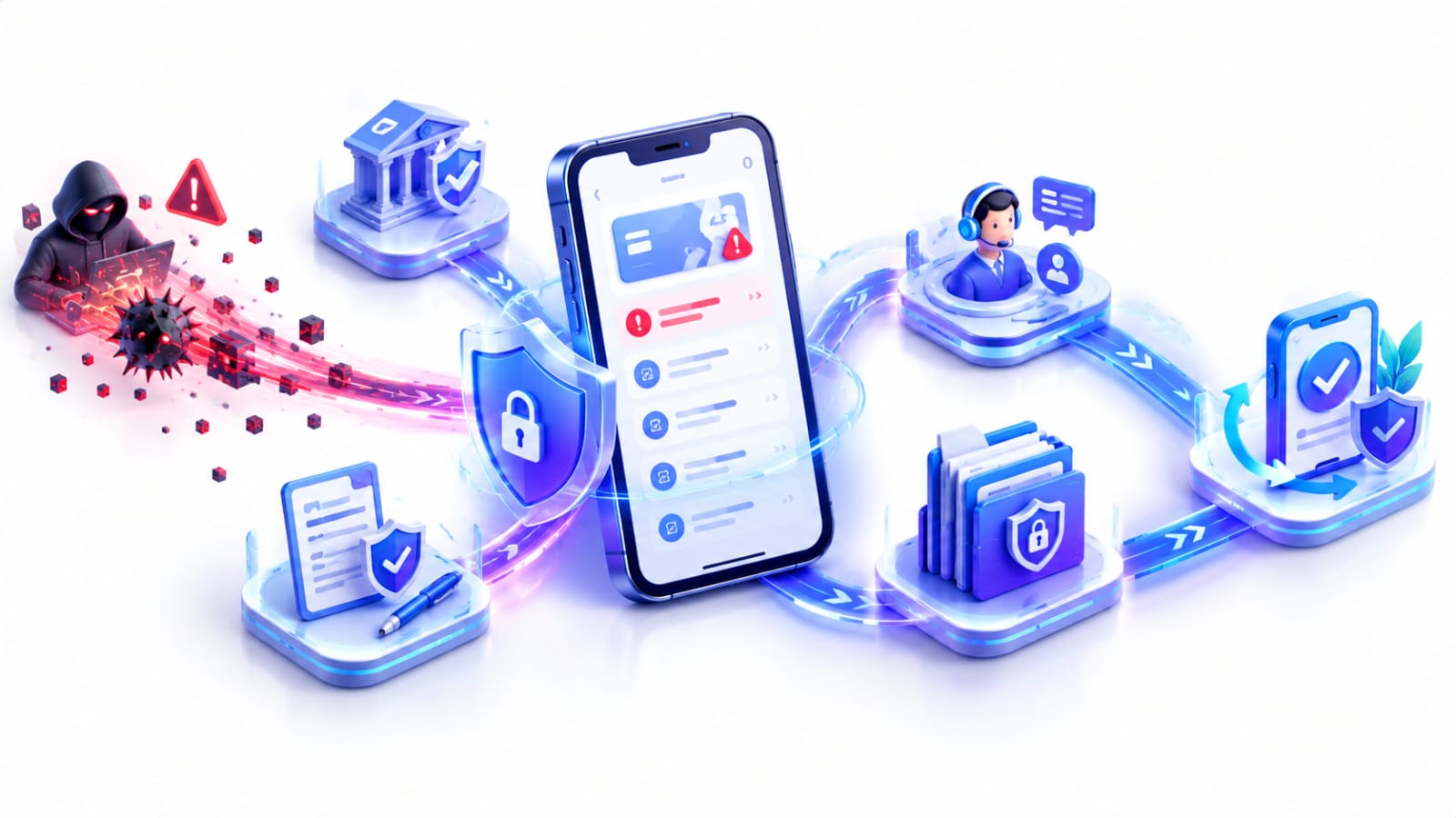
Agar aapke saath cyber fraud ho jaaye, to panic na karein aur delay kiye bina appropriate action lein. Jaldi report karne se further loss ko rokne aur complaint/recovery process mein help mil sakti hai.
1. Bank Ya Payment Service Ko Inform Karein 💳
Agar unauthorized transaction hua hai, to turant apne bank, UPI app, wallet, card issuer ya payment service provider ko inform karein.
Zaroorat ke according card, account, UPI service ya other payment access ko temporarily block/freeze karne ke liye provider ke instructions follow karein.
2. 1930 Par Report Karein 📞
India mein online financial fraud hone par 1930 National Cyber Crime Helpline par immediately report karein.
Jaldi report karne se authorities aur financial institutions ko further fraudulent transactions ko address karne ki process start karne mein help mil sakti hai.
3. Online Complaint Register Karein 🌐
Official National Cyber Crime Reporting Portal par jaakar cybercrime complaint submit karein.
Complaint mein incident ki accurate details aur available supporting information provide karein.
4. Compromised Passwords Change Karein 🔐
Agar kisi account ka password compromise ho gaya hai, to use turant change karein.
Agar wahi password kisi aur account par bhi use kiya hai, to un accounts ke passwords bhi change karein aur important accounts par MFA enable karein.
5. Evidence Secure Rakhein 📁
Fraud se related evidence ko delete na karein. Jaise:
- Transaction ID
- Bank statement ya transaction details
- Screenshots
- Suspicious messages
- Phone number
- Website URL
- Chat history
- Other relevant documents
Ye information complaint aur further investigation ke time useful ho sakti hai.
6. Device Secure Karein 📱
Agar malware, suspicious app ya remote-access software ka doubt ho, to affected device ko network se disconnect karne par consider karein.
Zaroorat ke according suspicious applications remove karein aur device ko trusted security software se scan karein.
Agar device kisi organization ka hai, to IT/security team ko immediately inform karein.
7. Account Activity Check Karein 👀
Fraud ke baad:
- Recent bank transactions check karein
- Unknown logins review karein
- Connected devices check karein
- Suspicious account sessions remove karein
- Email forwarding rules jaise unusual settings check karein
Koi suspicious activity milne par concerned bank ya service provider ko immediately inform karein.
Cyber Fraud Ke Baad Sabse Important Rule 🛡️
Don't Panic → Stop Further Loss → Report Immediately → Preserve Evidence → Secure Your Accounts
Cyber fraud ke case mein *delay na karna important hai. Financial fraud ke liye 1930 par report karein aur official National Cyber Crime Reporting Portal ka use karein.
Official Resources 🏛️
- National Cyber Crime Reporting Portal
- RBI – Safe Digital Banking Practices
- CERT-In – Cyber Security Awareness Resources
Ab jab hum samajh chuke hain ki cyber fraud hone ke baad kya steps lene chahiye, next section mein dekhenge ki Cybersecurity Mein AI Ka Kya Role Hai aur AI cyber threats ke against security ko kaise affect kar raha hai.
11. Cybersecurity Mein AI Ka Kya Role Hai? 🤖🔐

Artificial Intelligence (AI) cybersecurity ko faster aur more effective banane mein help kar sakti hai. AI large amounts of data ko analyse karke suspicious patterns, unusual activity aur potential security threats identify karne mein security teams ki help kar sakti hai.
AI cybersecurity mein defensive use ke saath-saath attackers ke liye bhi useful ho sakti hai. Isi wajah se AI cybersecurity ke liye opportunity aur risk dono create karti hai.
Cybersecurity Mein AI Ke Important Uses 🛡️
- Threat Detection: AI unusual login patterns, suspicious activity aur potential cyber threats ko identify karne mein help kar sakti hai.
- Real-Time Monitoring: AI systems aur network activity ko continuously analyse karke suspicious behaviour par alerts generate kar sakti hai.
- Malware Detection: AI suspicious files, software behaviour aur malware-related patterns ko identify karne mein security systems ki help kar sakti hai.
- Fraud Detection: Banking aur online transactions mein unusual behaviour identify karke potential fraudulent activity ko flag karne mein help mil sakti hai.
- Phishing Detection: AI suspicious emails, messages, websites aur malicious links ko identify karne mein help kar sakti hai.
- Automated Response: Kuch security systems detected threats ke basis par predefined actions jaise account lock karna, alert generate karna ya affected system ko isolate karna perform kar sakte hain.
- User Behaviour Analysis: AI normal activity patterns ko analyse karke unusual behaviour par security alerts generate kar sakti hai.
- Vulnerability Identification: AI software aur systems mein potential security weaknesses identify karne aur security teams ko prioritise karne mein help kar sakti hai.
NIST ke according, AI defensive cybersecurity capabilities ko enhance karne ke opportunities provide karti hai, lekin AI systems ke apne security risks ko bhi manage karna zaroori hai. (NIST – Cybersecurity, Privacy, and AI)
AI Cybersecurity Ke Liye Risk Kaise Create Kar Sakti Hai? ⚠️
AI ka use attackers bhi kar sakte hain. Attackers AI ki help se:
- More convincing phishing messages create kar sakte hain
- Fake identities aur impersonation attempts ko improve kar sakte hain
- Deepfake voice aur video ka use kar sakte hain
- Cyber attacks ki preparation ko automate ya accelerate kar sakte hain
- Large scale par social engineering campaigns conduct kar sakte hain
CERT-In ne bhi AI-enabled phishing, impersonation, deepfake-based fraud aur automated cyber activities ko emerging cybersecurity risks ke roop mein highlight kiya hai.
AI Kya Human Cybersecurity Experts Ko Replace Kar Degi? 👨💻
AI cybersecurity professionals ko assist kar sakti hai, lekin human judgement, security policies, incident response aur risk-based decision-making ki zaroorat abhi bhi important hai.
Security teams ko AI-generated alerts aur recommendations ko context ke saath evaluate karna pad sakta hai. AI systems ko bhi properly secure, monitored aur governed rakhna zaroori hai.
Simple Rule: AI cybersecurity ko stronger bana sakti hai, lekin AI + Human Expertise + Strong Security Practices ka combination zyada important hai.
AI Aur Cybersecurity Ka Future 🚀
AI ke development ke saath cybersecurity ka role bhi change ho raha hai. Organizations AI ka use security analysis aur threat detection ke liye kar rahi hain, jabki attackers bhi AI-enabled techniques ka use kar rahe hain.
NIST ne Cybersecurity Framework ke context mein AI ke use aur AI-related cybersecurity risks ko address karne ke liye dedicated work bhi develop kiya hai. (NIST Cyber AI Profile)
India mein bhi CERT-In ne AI-assisted vulnerability exploitation aur AI-driven cyber risks ko address karne ke liye 2026 mein dedicated guidance publish ki hai. (CERT-In – AI-Assisted Vulnerability Exploitation Guidance)
Ab jab hum samajh chuke hain ki **AI cybersecurity ko kaise improve bhi kar sakti hai aur naye risks bhi create kar sakti hai, next section mein hum dekhenge ki Cybersecurity ka future kya hai aur is field mein career opportunities kaise hain.
12. Cybersecurity Ka Future Aur Career Opportunities 🔮🔐
Digital banking, cloud services, AI, IoT aur online businesses ke badhne ke saath cybersecurity ki importance bhi badh rahi hai. Organizations ko apne data, applications, networks aur users ko cyber threats se protect karne ke liye skilled professionals ki zaroorat hoti hai.
Cybersecurity Ka Future 🚀
Cybersecurity ka role aane wale time mein aur important ho sakta hai, especially:
- AI aur automation ka use threat detection aur security monitoring mein badhne ke saath
- Cloud aur remote work ke expansion ke saath
- IoT devices ke badhte use ke saath
- Data privacy aur security requirements ke important hone ke saath
- Phishing, ransomware aur other cyber threats se protection ki need ke saath
Cybersecurity Mein Career Opportunities 👨💻
Cybersecurity mein different roles available hain:
| Role | Main Work |
|---|---|
| Security Analyst | Security alerts aur suspicious activities monitor karna |
| Ethical Hacker | Vulnerabilities identify karne mein help karna |
| Security Engineer | Security systems aur infrastructure design karna |
| Incident Responder | Cyber attacks ke baad investigation aur response |
| Digital Forensics Expert | Digital evidence analyse karna |
| Cloud Security Specialist | Cloud systems aur data ko secure karna |
| Application Security Engineer | Websites aur applications ki security improve karna |
Career Start Karne Ke Liye Important Skills 🎯
Beginner ke liye networking, operating systems, Linux, basic programming/scripting, security concepts aur problem-solving se start karna useful hai. Saath hi communication aur report-writing skills bhi important hain.
Practical labs, projects, internships aur relevant certifications ke through gradually experience build kiya ja sakta hai. Cybersecurity continuously evolve hone wali field hai, isliye regular learning aur updated rehna important hai.
Simple Roadmap: Networking → Linux → Cybersecurity Basics → Practical Labs → Projects → Internship/Entry-Level Role
Cybersecurity ke fundamentals aur security practices ke liye NIST Cybersecurity Framework aur CISA Cybersecurity Best Practices useful resources hain.
Ab tak humne cybersecurity ke meaning, importance, principles, types, threats, online safety, fraud recovery aur AI ke role ko samjha. Ab next section mein kuch important Cybersecurity FAQs ke answers dekhenge.
Frequently Asked Questions (FAQs)❓
1. Cybersecurity kya hoti hai?
Cybersecurity ka matlab computers, mobile phones, networks, websites, apps aur personal data ko cyber attacks, malware, phishing aur unauthorized access se protect karna hai.
2. Cybersecurity important kyun hai?
Cybersecurity personal information, passwords, banking details, business data aur online accounts ko secure rakhne mein help karti hai. Isse data theft, financial fraud aur identity theft jaise risks ko reduce karne mein madad milti hai.
3. Cyber attack kya hota hai?
Cyber attack ek unauthorized attempt hota hai jisme attacker kisi device, network, website ya online account ko access, damage ya control karne ki koshish karta hai.
4. Common cyber threats kaun-se hain?
Common cyber threats mein phishing, malware, ransomware, password attacks, identity theft, social engineering, online scams aur DDoS attacks shamil hain.
5. Phishing kya hoti hai?
Phishing ek fraud technique hai jisme fake email, SMS, call ya website ke through users se password, OTP, PIN, financial information ya other sensitive details obtain karne ki koshish ki jaati hai.
6. Strong password kaise banayein?
Har important account ke liye unique aur difficult-to-guess password use karein. Password manager ka use bhi consider kar sakte hain aur important accounts par MFA enable karna useful hai.
7. Kya OTP share karna safe hai?
Nahi. OTP, UPI PIN, ATM PIN aur password kisi ke saath share nahi karna chahiye. Agar koi person sensitive security information maang raha hai, to pehle uski identity independently verify karein.
8. Multi-Factor Authentication (MFA) kya hai?
MFA ek security feature hai jisme password ke saath additional verification required hota hai, jaise authenticator app, security key, biometric verification ya OTP. Isse account security improve karne mein help milti hai.
9. Cyber fraud ho jaaye to kya karna chahiye?
Sabse pehle apne bank, card provider ya payment service ko immediately inform karein aur further unauthorized transactions ko prevent karne ke liye unke instructions follow karein.
India mein financial cyber fraud ke liye 1930 par report karein aur National Cyber Crime Reporting Portal par complaint register karein. Transaction ID, screenshots, messages aur other relevant evidence preserve karke rakhein.
10. Malware aur ransomware mein kya difference hai?
Malware harmful software ka broad category hai. Ransomware malware ka ek type hai jo files ya systems ko inaccessible bana sakta hai, commonly encryption ke through, aur attacker ransom demand kar sakta hai.
11. Kya antivirus cybersecurity ke liye kaafi hai?
Nahi. Antivirus ek useful security layer hai, lekin strong passwords, MFA, software updates, backups, safe browsing habits aur phishing awareness bhi cybersecurity ke important parts hain.
12. Cybersecurity mein career kaise banayein?
Beginners networking, operating systems, Linux aur cybersecurity fundamentals se start kar sakte hain. Uske baad practical labs, projects, internships aur relevant certifications ke through experience build kiya ja sakta hai. Problem-solving, communication aur continuous learning bhi important skills hain.
Conclusion 📝
Cybersecurity sirf hackers se bachne ka naam nahi hai, balki apne devices, accounts, personal data aur online identity ko secure rakhne ki daily practice hai.
Strong passwords, MFA, software updates, safe browsing, regular backups aur suspicious links se caution jaise simple steps cyber risks ko reduce karne mein help kar sakte hain.
Digital world ke badhte use ke saath cybersecurity awareness aur skills ki importance bhi badh rahi hai. Isliye safe online habits develop karna aur cybersecurity ke basics ko samajhna har internet user ke liye useful hai.
Agar aapko yeh article upyogi laga ho, to ise apne doston ke saath share karein. AI, technology aur education se judi aur jankari ke liye hamare anya blogs bhi padh sakte hain.
SHARE THIS ARTICLE