FIELD NOTE
Developers Ke Liye 2026 Ke Best AI Coding Tools – Features, Pricing Aur Comparison
Introduction 👋
Agar aap code likhte hain, to 2026 tak AI coding tools almost daily toolkit ka hissa ban chuke hain. Problem yeh hai: options bahut hain, time kam hai. Cursor, Copilot aur Windsurf sab accha promise karte hain – par aapke use-case ke liye best kaun sa hai?
Is guide ka goal simple hai: bina hype ke, seedhi baat. Hum in teen tools ko real-world angle se dekhenge:
- Kaun sa faster lagta hai aur latency kitni kam hai?
- Suggestions kitni accurate aati hain?
- Long repository context ko kaise handle karta hai?
- Multi-file refactoring aur test generation kitni reliably hoti hai?
Saath hi privacy, team features, aur IDE support (VS Code, JetBrains, terminal workflows) jaise practical points par bhi dhyan rahega. Pricing ko bhi clear rakhenge – free vs paid plans, seat-based cost, aur aapke budget ke hisab se ROI.
Core Objective: Chahe aap beginner ho jo smarter autocomplete chahte hain, senior dev ho jo large codebases maintain karte hain, ya startup team jo velocity boost dhund rahi hai–yahaan aapko straight answers milenge.
End tak aap jaan payenge ki Cursor, Copilot aur Windsurf me se kis tool se aapki coding speed aur efficiency practically 10x ke kareeb feel ho sakti hai, bina workflow todhe.
Is Article Mein Hum Kya Sikhenge? 📚
- Cursor, GitHub Copilot aur Windsurf ka clear overview: Kis tool ka use-case kiske liye sabse best hai.
- In tools ke top features: Autocomplete, AI Chat, multi-file edits, refactoring, test generation aur debugging help.
- Side-by-side comparison: Speed, accuracy, context handling, IDE support, aur daily workflow impact.
- Pricing breakdown (Free vs Paid): Har plan me milne waale exact limitations aur features.
- Real-world scenarios: New project start, existing codebase maintain, bug fixing, aur code review me kisne better perform kiya.
- Pros & Cons: Limitations jaise hallucinations, wrong suggestions, aur context limits par unfiltered reality.
- Best tool selection guide: Aapke role (Student, Freelancer, Team) aur budget ke hisab se final verdict.
- Productivity Tips: Coding speed aur efficiency ko practically 10x boost karne ke pro-tricks.
Cursor vs Copilot vs Windsurf: Kaun Kis Type Ke Developer Ke Liye Best Hai? 🎯
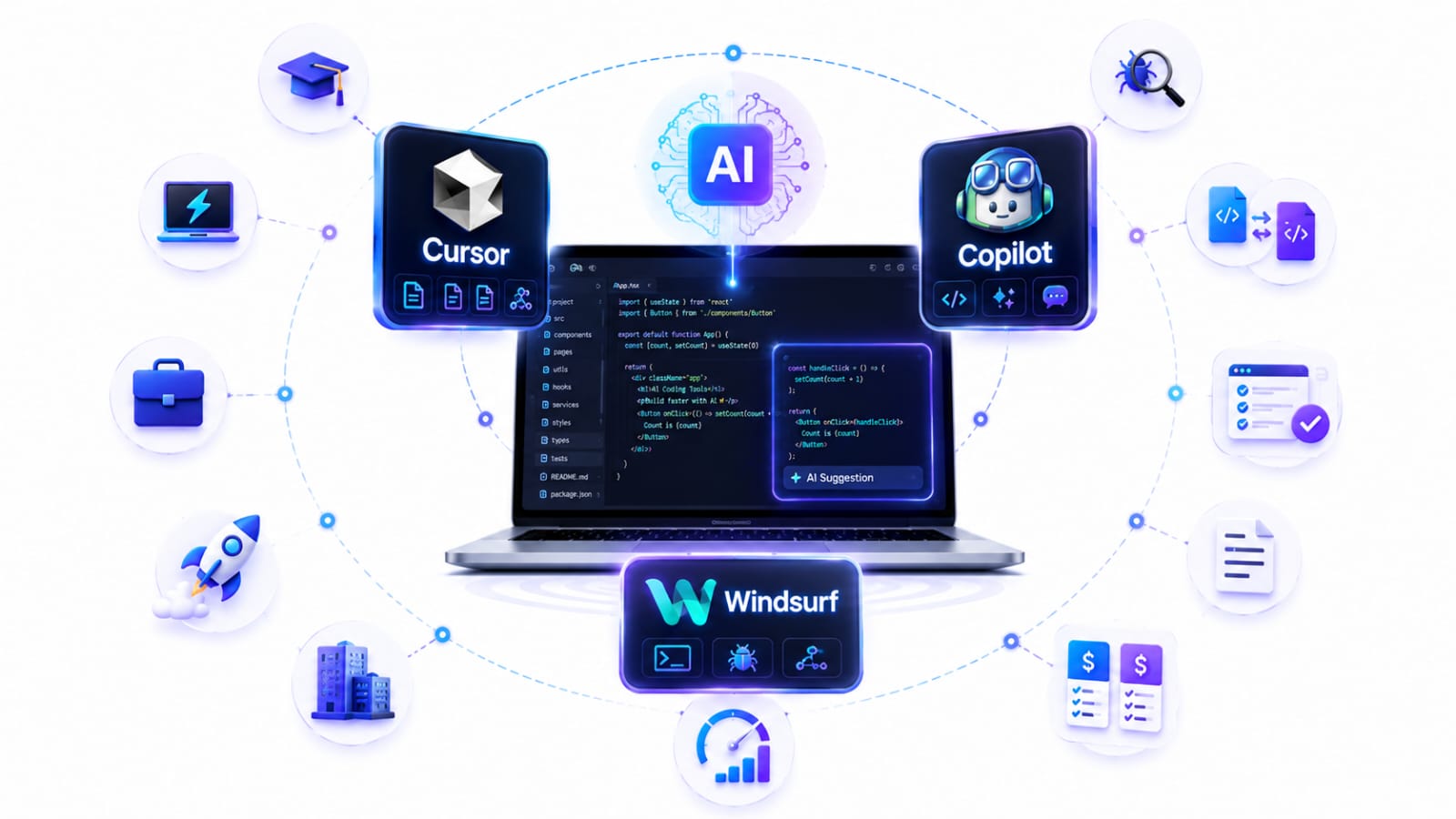
Har developer ki coding zaroorat aur team dynamic alag hoti hai. Agar aap AI tools ke baare mein aur detail mein samajhna chahte hain, to hamara AI Tools Kya hain aur kaise use karein guide bhi padh sakte hain. Niche diye gaye personas se samajhein ki aapke role aur work type ke hisaab se kaun sa tool 100% fit baithta hai:
1. Developer Role Ke Hisaab se Best Pick 👤
Beginners / Students:
- Winner: GitHub Copilot
- Kyun: GitHub Student Developer Pack ke through verified students ko GitHub Copilot Student free mil sakta hai. Iska autocomplete aur coding assistance beginners ko syntax aur logic samajhne mein help karta hai.
Freelancers & Solo Engineers:
- Winner: Cursor AI
- Kyun: Fast delivery, multi-stack switching aur rapid prototyping ke liye Cursor ka Agent Mode (Composer) sabse powerful hai. Fast-paced client projects mein delivery speed 2x ho jaati hai.
Job / Office Developers:
- Winner: GitHub Copilot
- Kyun: Standard VS Code ya JetBrains IDE setup ke saath seamlessly blend hota hai. Strict IP privacy, Enterprise security compliance, aur minimal workflow disruption ke mamle mein yeh company environment ke liye sabse reliable hai.
Startup Teams (High Velocity):
- Winner: Windsurf (by Codeium)
- Kyun: Iska Cascade Agent intent ko samajhkar background tasks, multi-file updates aur setup auto-execute karta hai. $20/month base pricing ke saath startups ke liye high cost-to-efficiency ROI deta hai.
Large Codebase / Enterprise Engineers:
- Winner: Cursor AI / Windsurf (Tie)
- Kyun: Donon hi full repository indexing support karte hain. Lakhon lines ke legacy code mein exact functions navigate karne, dependencies track karne aur global architecture samajhne mein donon unmatched hain.
2. Specific Task & Work Type Ke Hisaab Se Best Pick 🛠️
| Work Task | Best Tool | Kyun Better Hai? |
|---|---|---|
| Bug Fixing & Debugging | Windsurf | Terminal output aur system logs ko deeply analyze karke direct root-cause fix suggest karta hai. |
| Multi-file Refactoring | Cursor AI | Whole-project architecture ko dhyaan mein rakhkar bina side-effects ke across-files refactoring karta hai. |
| Writing Unit Tests | GitHub Copilot | Existing functions aur schemas ko dekhkar boilerplates aur edge-case unit test suites instantly generate karta hai. |
| Documentation & Comments | GitHub Copilot / Cursor | Complex logic ke concise docstrings, inline comments aur Markdown documentation likhne mein best output deta hai. |
Summary Verdict: Agar aap Simplicity + Security chahte hain toh GitHub Copilot; agar Autonomous Multi-file Coding chahte hain toh Cursor AI; aur agar Deep Terminal Debugging + Smart Flow chahte hain toh Windsurf choose karein.
Deep Feature Breakdown: Cursor vs Copilot vs Windsurf 🛠️
In teeno AI coding tools ko unki core technical capabilities ke basis par compare karna useful hai. Neeche autocomplete, AI chat, multi-file editing, refactoring, debugging, testing, code review, documentation, integrations aur customization jaise important areas ko practical angle se dekha gaya hai.
1. Autocomplete & Inline Suggestions ⚡
- Cursor: Context-aware inline suggestions aur multi-line code completion provide karta hai, jisse repetitive coding aur larger code blocks ko quickly generate karna easier hota hai.
- GitHub Copilot: Supported IDEs mein inline code suggestions aur AI-assisted coding provide karta hai.
- Windsurf: Tab completion aur AI-assisted coding ke through repetitive code likhne aur development workflow ko faster banane mein help karta hai.
- 🏆 Category Winner: Cursor / GitHub Copilot / Windsurf — choice largely workflow aur personal preference par depend karti hai.
2. AI Chat Experience (Editor Integration) 💬
- Cursor: Deep codebase context ke saath files, folders aur documentation ko use karke targeted coding questions aur implementation tasks handle kar sakta hai.
- GitHub Copilot: Chat ke through coding questions, debugging, code explanation aur implementation guidance provide karta hai.
- Windsurf: AI-powered conversational workflow ke through codebase aur active development task ke context mein assistance provide karta hai.
- 🏆 Category Winner: Cursor AI — deep codebase-oriented workflow ke liye strong option.
3. Multi-file Changes (Agentic Coding) 📁
- Cursor: Agent multiple files ko inspect, edit aur update kar sakta hai, while developers proposed changes ko review kar sakte hain. Cursor ka agent workflow larger coding tasks ke liye designed hai.
- GitHub Copilot: Agent mode relevant files ko analyze karke changes propose/apply kar sakta hai aur development tasks ko multiple steps mein handle kar sakta hai.
- Windsurf: Agent-based workflow ke through related files mein coordinated changes aur larger development tasks handle karne mein help karta hai.
- 🏆 Category Winner: Windsurf / Cursor AI — autonomous workflow aur developer control ke balance par depend karta hai.
4. Refactoring & Code Cleanup 🔄
- Cursor: Multiple files aur project context ko consider karke larger refactoring tasks handle karne mein useful hai.
- GitHub Copilot: Individual functions, classes aur targeted sections ko clean, simplify aur refactor karne mein useful hai.
- Windsurf: Project context ke saath structural changes aur code cleanup workflows mein AI assistance provide karta hai.
- 🏆 Category Winner: Cursor AI — large-scale refactoring workflow ke liye strong choice.
5. Bug Fixing & Debug Help 🐛
- Cursor: Stack traces, code context aur project structure ko analyze karke bugs identify aur fix karne mein help karta hai.
- GitHub Copilot: Error messages aur problematic code ko explain karke possible fixes suggest karta hai. Iska official documentation bhi bug fixing aur coding questions ke liye Copilot use karne ko cover karta hai.
- Windsurf: Agent-based workflow ke through errors ko investigate karne aur related code changes ke saath debugging process ko streamline karne mein help karta hai.
- 🏆 Category Winner: Windsurf / Cursor AI — agent-based debugging workflow ke liye strong options.
6. Test Generation (Unit Tests & Mocks) 🧪
- Cursor: Existing code ko context mein lekar unit tests, mocks aur edge-case scenarios generate karne mein useful hai.
- GitHub Copilot: Functions aur existing code ke basis par unit tests aur test boilerplate quickly generate kar sakta hai.
- Windsurf: Existing project structure aur test files ko analyze karke test cases create aur update karne mein help karta hai.
- 🏆 Category Winner: GitHub Copilot / Cursor AI — standard tests ke liye Copilot aur complex project-context testing ke liye Cursor useful ho sakta hai.
7. Code Review & Security Scanning 🔍
- Cursor: Code changes aur diffs ko review karke potential bugs, readability issues aur improvement areas identify karne mein help karta hai.
- GitHub Copilot: GitHub ecosystem ke saath deeply integrated hai aur code review, pull requests aur development workflows mein AI assistance provide karta hai.
- Windsurf: Local code changes aur diffs ko review karne aur possible issues identify karne mein help karta hai.
- 🏆 Category Winner: GitHub Copilot — GitHub-centric code review aur pull request workflows ke liye.
8. Documentation & Comments Generation 📝
- Cursor: Docstrings, inline comments, README content aur technical documentation generate karne mein useful hai.
- GitHub Copilot: JSDoc, comments, documentation aur code explanations generate karne mein help karta hai.
- Windsurf: Code changes ke saath technical documentation aur development summaries create karne mein useful hai.
- 🏆 Category Winner: GitHub Copilot / Cursor AI — dono documentation workflows ke liye strong options hain.
9. Integrations (IDE, Terminal, Linters) 🔌
- Cursor: Editor ke saath-saath terminal aur multiple development workflows ke saath integrate hota hai. Official Cursor documentation mein IDE, terminal, GitHub, GitLab, JetBrains aur other integrations documented hain.
- GitHub Copilot: VS Code, Visual Studio, JetBrains IDEs, Neovim aur GitHub ecosystem jaise multiple environments mein available hai.
- Windsurf: AI-powered editor workflow aur development tools ke saath integration provide karta hai.
- 🏆 Category Winner: GitHub Copilot — broad IDE aur GitHub ecosystem support ke liye.
10. Customization & Project Rules ⚙️
- Cursor: Project-specific rules aur instructions ke through AI behavior ko customize kiya ja sakta hai.
- GitHub Copilot: Repository-level custom instructions ke through project-specific coding guidelines define ki ja sakti hain.
- Windsurf: Project-specific rules aur instructions ke through agent behavior ko customize karne ka option provide karta hai.
- 🏆 Category Winner: Cursor AI — detailed project-level customization ke liye strong option.
Quick Takeaway 🎯
- Autocomplete & Daily Coding: GitHub Copilot
- Large Refactoring & Codebase Work: Cursor AI
- Autonomous Agent Workflows: Windsurf
- GitHub-Centric Development: GitHub Copilot
- Project-Level AI Customization: Cursor AI
Note: AI coding tools ke features aur capabilities frequently update hote hain. Isliye latest features aur documentation ke liye respective official websites ko check karna best hai. Cursor Documentation Cursor Docs — Agent, Rules, MCP, Skills & CLI Official Cursor documentation. Covers Agent mode, Rules, Skills, MCP servers, CLI, models, and Teams & Enterprise setup. Start building in minutes.
Tool-by-Tool Deep Dive 🔎
1. Cursor AI: Maximum Control & Multi-File Mastery 🚀
Cursor ne multi-file agentic editing (Composer) ke zariye AI coding standard ko set kiya hai. Ye poore codebase ki deep semantic understanding rakhta hai aur multi-file edits par highest precision deta hai.
┌────────────────────────────────────────────────────────┐
│                   CURSOR AI ENGINE                     │
│ ┌────────────────┐ ┌────────────────┐ ┌──────────────┐ │
│ │  Code Indexing  │ │ Composer Agent │ │  .cursorrules│ │
│ └───────┬────────┘ └───────┬────────┘ └──────┬───────┘ │
└─────────┼──────────────────┼─────────────────┼─────────┘
          ▼                  ▼                 ▼
   [Repo Context] ──► [Multi-File Diff] ──► [Precise Code]
2. GitHub Copilot: Everyday Devs & Enterprise Teams 🛠️
GitHub Copilot, GitHub ka popular AI tool hai, jo largely developer workflow ko streamline karta hai. Ye auto-suggestions aur contextual coding support deta hai.
┌────────────────────────────────────────────────────────┐
│                  GITHUB COPILOT ENGINE                │
│ ┌────────────────┐ ┌────────────────┐ ┌──────────────┐ │
│ │ Contextual     │ │ Copilot Agent  │ │  .github/copilot │ │
│ │ Suggestions   │ │                │ │  instructions    │ │
│ └───────┬────────┘ └───────┬────────┘ └──────┬───────┘ │
└─────────┼──────────────────┼─────────────────┼─────────┘
          ▼                  ▼                 ▼
   [Contextual Awareness] ──► [Suggestions] ──► [Developer Guidance]
3. Windsurf: Autonomous Agent Workflows 🌊
Windsurf, Codeium ka product hai, jo focus karta hai seamless workflows aur autonomous agent support par. Iska core feature AI-driven coding process ka automation hai.
┌────────────────────────────────────────────────────────┐
│                   WINDSURF ENGINE                      │
│ ┌────────────────┐ ┌────────────────┐ ┌──────────────┐ │
│ │  Easy Setup    │ │ Cascade Agent  │ │  .windsurfrules │ │
│ └───────┬────────┘ └───────┬────────┘ └──────┬───────┘ │
└─────────┼──────────────────┼─────────────────┼─────────┘
          ▼                  ▼                 ▼
   [Single File Workflows] ──► [Extended Capabilities] ──► [Flexible Coding]
Pricing Breakdown: Cursor vs GitHub Copilot vs Windsurf 💰
AI coding tool choose karte waqt pricing aur usage limits ko samajhna bahut important hai. Free plans beginners ke liye useful ho sakte hain, jabki paid plans zyada AI usage, advanced features aur team capabilities provide karte hain.
Note: AI tools ke pricing, plans aur usage limits frequently change ho sakte hain. Latest pricing ke liye official website check karna best hai.
1. Cursor AI 💻
- Free Tier – Hobby: Basic AI coding features ke saath limited usage, jo casual users aur beginners ke liye suitable hai.
- Pro Plan – $20/month: Higher usage limits aur advanced AI coding capabilities ke liye.
- Team Plan – $40/user/month: Teams ke liye additional collaboration aur administrative features.
2. GitHub Copilot 🤖
- Free Plan: Limited monthly AI usage ke saath beginners aur casual developers ke liye useful.
- Pro Plan – $10/month: Individual developers ke liye advanced coding assistance aur higher usage limits.
- Business Plan – $19/user/month: Teams ke liye centralized management aur additional business features.
3. Windsurf 🌊
- Free Plan: Limited usage ke saath AI-assisted coding aur Cascade features try karne ka option.
- Pro Plan – $20/month: Individual developers ke liye higher usage limits aur advanced agentic coding capabilities.
- Team Plan: Teams ke liye collaboration, administration aur additional workspace features.
Pricing Comparison Table 📊
| Plan / Feature | Cursor AI | GitHub Copilot | Windsurf |
|---|---|---|---|
| Free Tier | Hobby – Limited usage | Free – Limited usage | Free – Limited usage |
| Individual Plan | Pro – $20/month | Pro – $10/month | Pro – $20/month |
| Team Plan | $40/user/month | Business – $19/user/month | Team pricing varies |
| Best For | Power users & agentic coding | Everyday development | Agentic coding workflows |
Which One Offers Better Value? 🤔
- Cursor AI: Advanced agentic coding aur multi-file development ke liye powerful option.
- GitHub Copilot: Individual developers ke liye comparatively affordable aur everyday coding ke liye practical.
- Windsurf: Agent-based workflows aur autonomous coding experience pasand karne wale developers ke liye useful.
Important: Pricing aur plan limits frequently update hote hain, isliye subscription lene se pehle official pricing page par latest details verify karein.
Real-World Scenarios: Practical Applications of Each Tool 🧪
AI coding tools ka actual difference samajhne ke liye unhe real-world situations mein dekhna useful hai. Neeche dekhein ki Cursor AI, GitHub Copilot aur Windsurf kis type ke projects aur workflows mein zyada useful ho sakte hain.
1. Cursor AI: Large-Scale Development & Refactoring 🚀
Scenario: Maan lijiye ek developer ya team kisi existing project par kaam kar rahi hai jisme bahut saari files aur interconnected components hain.
Use Case:
- Multi-File Editing: Cursor AI multiple files mein ek saath changes karne aur bade refactoring tasks ko manage karne mein help karta hai.
- Codebase Context: Project ke relevant files aur code ko context mein lekar complex features ko samajhne aur modify karne mein madad karta hai.
- Project Rules: Custom project instructions ke through coding style, architecture aur development guidelines ko maintain kiya ja sakta hai.
Best For: Large projects, freelancers, experienced developers aur rapid feature development.
2. GitHub Copilot: Everyday Development & Team Workflows 💻
Scenario: Ek developer regular coding ke liye VS Code, JetBrains ya kisi supported IDE ka use karta hai aur use coding ke dauran quick AI assistance chahiye.
Use Case:
- Code Completion: Functions, boilerplate aur repetitive code ko quickly generate karne mein help karta hai.
- Code Explanation: Existing code ko samajhne aur difficult logic ko explain karne mein useful hai.
- Testing & Documentation: Unit tests, comments aur documentation generate karne mein assistance deta hai.
- GitHub Ecosystem: GitHub-based development workflows ke saath AI assistance ko integrate karne mein useful hai.
Best For: Beginners, students, individual developers aur teams jo familiar IDE workflow ke andar AI assistance chahte hain.
3. Windsurf: Autonomous Agent Workflows 🌊
Scenario: Ek full-stack developer chahta hai ki AI sirf code suggestions na de, balki bade development tasks ko step-by-step execute karne mein bhi help kare.
Use Case:
- Cascade Agent: Complex coding tasks ko multiple steps mein handle karne aur related files mein changes karne mein help karta hai.
- Terminal Workflows: Development commands, errors aur debugging workflows ke saath AI assistance provide karta hai.
- Codebase Context: Existing project structure ko samajhkar relevant changes suggest aur apply karne mein madad karta hai.
- Rapid Development: New features aur prototypes ko quickly build karne ke workflow mein useful ho sakta hai.
Best For: Full-stack developers, rapid prototyping aur agent-based coding workflows.
Real-World Comparison: Kaunsa Tool Kahan Useful Hai? 📊
| Real-World Scenario | Recommended Tool | Main Reason |
|---|---|---|
| Large Codebase Refactoring | Cursor AI | Multi-file editing aur codebase context |
| Daily Coding & Autocomplete | GitHub Copilot | Fast inline suggestions aur familiar IDE workflow |
| Complex Agent Tasks | Windsurf | Cascade-based autonomous workflow |
| Unit Tests & Documentation | GitHub Copilot / Cursor AI | Code context ke saath generation |
| Rapid Prototyping | Cursor AI / Windsurf | Fast feature development |
| GitHub-Centric Workflow | GitHub Copilot | GitHub ecosystem integration |
Practical Takeaway: Real-world use mein koi ek tool har developer ke liye universally best nahi hai. Cursor AI complex multi-file development ke liye, GitHub Copilot everyday coding aur GitHub-centric workflows ke liye, aur Windsurf agent-based development ke liye strong choice ho sakta hai.
Pros & Cons: Cursor vs GitHub Copilot vs Windsurf ⚖️
Cursor AI
Pros
- Multi-file edits aur refactoring workflows mein strong.
- Codebase context handling generally deep hai.
- Diffs structured aur review-friendly hote hain.
- Project-specific rules aur custom workflows configure karna easy hai.
Cons
- Pro plan ki pricing GitHub Copilot se higher hai.
- VS Code fork hone ki wajah se existing vanilla VS Code workflow mein adjustment karna pad sakta hai.
- Agent kabhi-kabhi unnecessary changes suggest kar sakta hai, isliye changes ko review karna zaroori hai.
GitHub Copilot
Pros
- Individual developers ke liye comparatively affordable.
- VS Code, JetBrains, Visual Studio, Neovim aur other IDEs ke saath broad support.
- Day-to-day coding ke liye smooth inline autocomplete.
- GitHub ecosystem aur team/enterprise workflows ke saath strong integration.
Cons
- Complex multi-file agent workflows mein proper context dena zaroori ho sakta hai.
- Large codebases mein better results ke liye relevant files/context guide karna pad sakta hai.
- Suggestions kabhi-kabhi generic ya boilerplate ho sakti hain.
Windsurf
Pros
- Cascade ke through strong agent-based coding workflow.
- Multi-file changes, feature implementation aur refactoring mein useful.
- Codebase context aur automation par strong focus.
- Beginners ke liye onboarding relatively simple hai.
Cons
- Paid plans ki pricing workflow aur usage ke according evaluate karni chahiye.
- VS Code-based environment hone ki wajah se existing editor workflow mein adjustment ho sakta hai.
- Output quality task, programming language aur project context ke according vary kar sakti hai.
Quick Decision Guide 🎯
- Best for power users & multi-file coding: Cursor AI
- Best value & widest IDE support: GitHub Copilot
- Best for agent-based automation: Windsurf
Note: AI coding tools ke features, pricing aur usage limits frequently change hote rehte hain. Final decision lene se pehle official pricing aur feature pages check karna best hai.
Productivity Tips: Cursor vs Copilot vs Windsurf 🚀
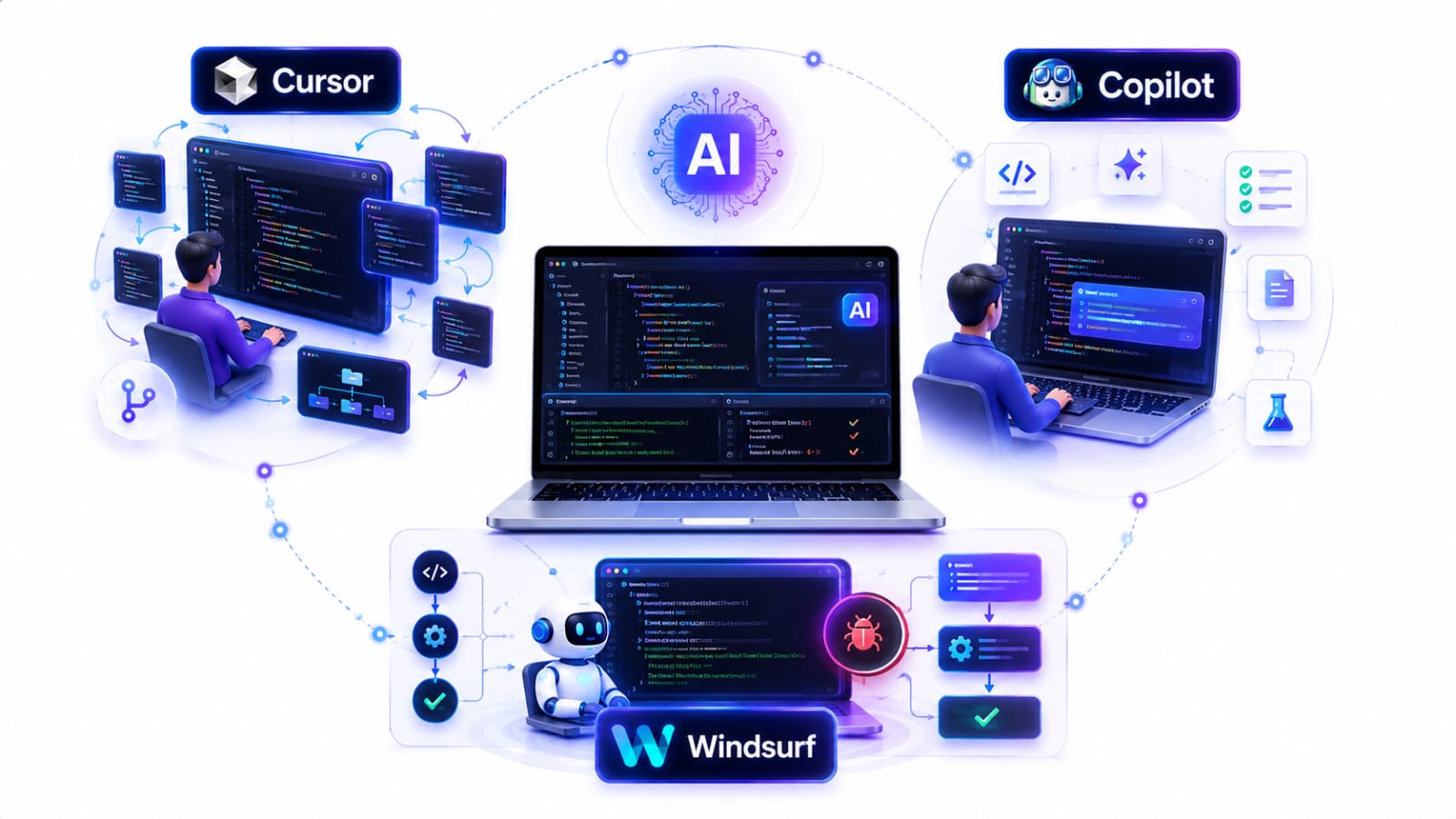
Universal Tips — Teeno Tools Par Apply Hote Hain
-
Small, Scoped Prompts Dein
- ❌ Bad:
App improve karo. - ✅ Good:
auth` module me refresh-token rotation add karo; DB schema change mat karo; tests update karo.
- ❌ Bad:
-
Relevant Context Attach Karein
- Relevant files open rakhein ya tool ka include file option use karein.
- 1–2 key files + expected behavior clearly batane se output quality improve hoti hai.
-
Acceptance Criteria Likhein
- Example:
Done tab hoga jab: lint pass, unit tests pass, edge cases handled aur API break na ho.
- Example:
-
Pehle Plan, Phir Code
- AI ko pehle approach explain karne ke liye bolen, uske baad implementation karwayein.
- Isse wrong-direction changes kam hote hain.
-
Boring & Repetitive Work AI Ko Dein
- Boilerplate, DTOs, serializers, CRUD, test scaffolding aur documentation jaise tasks mein AI ka use karein.
-
Tests Zaroor Request Karein
Unit tests add karo aur batao kaunse commands run karne hain.- AI-generated code ko bina test kiye production mein use na karein.
Cursor Productivity Tips 🎯
-
Multi-file Refactoring Ko Scope Karein
- Example:
UserService` ko `AccountService` se rename karo, imports update karo aur public API same rakho.
- Example:
-
Project Rules Use Karein
.cursorrules ke through project-specific coding conventions aur architecture rules define karein.- Example:
- Functional components + hooks prefer karo.
- New dependencies introduce mat karo.
- Existing logger wrapper use karo.
-
Diff Review Karein
- Large changes apply karne se pehle generated diff ko review karein.
- Isse unwanted changes easily identify ho jaate hain.
-
Repo Navigation Ke Liye AI Use Karein
- Example:
Is repo me authentication logic kahan implemented hai? 3 important files shortlist karo aur reason batao.
- Example:
GitHub Copilot Productivity Tips 💻
-
Function Signatures Aur Comments Se Suggestions Guide Karein
// Validates JWT, returns userId, throws on expiry function getUserIdFromJwt(token: string): string -
Copilot Chat Ko Focused Tasks Ke Liye Use Karein
- Copilot se chhote aur specific tasks karwayein, jaise:
- Jest test likhna
- Regex banana
- Existing code explain karna
- Loop ko optimize karna
- Documentation generate karna
- Copilot se chhote aur specific tasks karwayein, jaise:
-
Code Reviewer Ki Tarah Use Karein
- Example:
Review this code for security and performance issues. Top 5 risks list karo aur improvements suggest karo.
- Example:
-
Current File Ka Context Clear Rakhein
- Jis code par kaam kar rahe hain, uska relevant context Copilot ko available rakhein.
- Clear function names, comments aur type definitions better suggestions paane mein help karte hain.
Windsurf Productivity Tips 🌊
-
Agent Tasks Ko Step-by-Step Dein
- Example:
- API route create karo.
- Client-side integration update karo.
- Tests add karo.
- Documentation update karo.
- Example:
-
Clear Guardrails Set Karein
- Example:
- New libraries add mat karo.
- Existing project patterns follow karo.
- Sirf
/srcaur/testsfolders modify karo.
- Example:
-
Agent Autonomy Ko Limit Karein
- Example:
Maximum 2 attempts karo. Agar uncertain ho to stop karke mujhe batao. - Isse unnecessary changes aur over-editing ka risk kam hota hai.
- Example:
-
Final Summary Zaroor Manghein
- Agent se end mein ye details maangein:
- Changed files
- Kya changes kiye
- Changes kyun kiye
- Testing ke commands
- Agent se end mein ye details maangein:
Quick Copy-Paste Prompt Templates 📋
Template 1: Feature Development
Goal: __
Constraints: __
Files to touch: __
Don't change: __
Add tests.
Output: Changes summary + diff + run commands.
Template 2: Bug Fixing 🐛
Bug: __
Expected behavior: __
Actual behavior: __
Relevant files: __

First identify the root cause and explain it.
Then suggest the smallest safe fix.
Do not change unrelated code.
Add or update tests for this bug.
Finally, tell me how to verify the fix.
Template 3: Refactoring
Refactor __ to __ across the project. Keep the existing behavior unchanged, Update imports, types, and tests. Do not add new dependencies. Show the changes clearly.
Template 4: Code Review
Review this code for:
- Bugs
- Security issues
- Performance problems
- Code quality
- Edge case
Template 5: New Feature
Implement this feature: __
Before coding:
1. Analyze the existing codebase.
2. Explain your implementation plan.
3. Identify the files that need changes.

Then implement it.
Add tests and provide the commands to verify everything.
List the most important issues first and suggest fixes.
Frequently Asked Questions (FAQs) ❓
1. Cursor AI, GitHub Copilot aur Windsurf mein kya difference hai?
Cursor AI deep codebase understanding aur multi-file editing ke liye popular hai. GitHub Copilot daily coding, autocomplete aur GitHub ecosystem integration ke liye useful hai. Windsurf agent-based workflows aur autonomous coding tasks par zyada focus karta hai.
2. Beginners ke liye Cursor, Copilot ya Windsurf mein se kaunsa best hai?
Beginners ke liye GitHub Copilot ek simple starting point ho sakta hai, especially agar aap autocomplete aur basic AI assistance se coding seekhna chahte hain. Lekin complex projects par kaam karte waqt Cursor ya Windsurf bhi useful ho sakte hain.
3. Kya AI coding tools programming seekhne ko replace kar sakte hain?
Nahi. AI coding tools coding ko faster aur easier bana sakte hain, lekin programming fundamentals ko samajhna abhi bhi important hai. AI-generated code ko samajhna, test karna aur review karna developer ki responsibility hai.
4. Kya Cursor AI, GitHub Copilot aur Windsurf free mein use kiye ja sakte hain?
In tools mein free ya limited-access options available ho sakte hain, lekin features aur usage limits plan ke according change hote rehte hain. Paid plans mein generally additional AI usage, advanced features aur higher limits milte hain.
5. Kya ek hi project mein multiple AI coding tools use kar sakte hain?
Haan, technically aap multiple AI coding tools use kar sakte hain. Lekin ek hi workflow mein bahut saare AI assistants use karne se conflicting suggestions ya unnecessary complexity ho sakti hai. Isliye primary tool choose karke uske workflow ko properly use karna better hota hai.
6. Large codebase ke liye Cursor, Copilot ya Windsurf mein se kaunsa better hai?
Large codebase mein Cursor aur Windsurf agentic workflows aur repository-level context ke liye strong options ho sakte hain. However, actual performance project structure, language, task aur AI model ke according vary kar sakti hai.
7. Kya AI coding tools automatically bugs fix kar sakte hain?
Kuch agent-based features errors, terminal output aur code context ko analyze karke fixes suggest ya apply kar sakte hain. Lekin AI-generated fix ko blindly accept nahi karna chahiye. Tests run karke aur changes review karke hi final code use karein.
8. Kya AI coding tools developer ki job replace kar denge?
AI coding tools repetitive coding tasks ko automate kar sakte hain, lekin software development mein architecture, debugging, security, requirements understanding aur decision-making jaise human skills abhi bhi important hain. AI ko replacement ke bajaye productivity assistant ki tarah use karna practical approach hai.
9. AI coding tools se productivity kitni improve ho sakti hai?
Productivity improvement developer, project aur workflow par depend karti hai. Boilerplate code, documentation, testing aur repetitive tasks mein AI significant time save kar sakta hai, lekin 10x productivity guaranteed nahi hai. Better results ke liye clear prompts, proper context aur code review zaroori hain.
10. 2026 mein Cursor vs Copilot vs Windsurf mein kaunsa choose karna chahiye?
Agar aapko multi-file coding aur deep project work chahiye, to Cursor consider kar sakte hain. Daily coding aur broad IDE support ke liye GitHub Copilot strong option hai. Agent-based automation aur autonomous workflows ke liye Windsurf consider kiya ja sakta hai.
11. Kya AI-generated code production mein directly use karna safe hai?
AI-generated code ko directly production mein push karna recommended nahi hai. Code ko manually review karein, tests run karein, security issues check karein aur project ke existing standards ke according validate karein.
12. AI coding tools ka best use kaise karein?
AI ko sirf code generate karne ke liye nahi, balki code explain karne, bugs debug karne, tests likhne, refactoring, documentation aur code review jaise tasks ke liye bhi use karein. Clear instructions aur relevant context dene se output quality improve hoti hai.
Final Verdict: Cursor vs GitHub Copilot vs Windsurf 🏆
1) Overall Best (Most People Ke Liye): GitHub Copilot
- Agar aapko daily coding + strong autocomplete + widest IDE support chahiye, GitHub Copilot ek strong choice hai.
- Individual developers ke liye iska pricing advantage bhi hai.
- Best For: Students, most developers, mixed tech stacks aur VS Code/JetBrains users.
2) Best for Multi-file Refactoring & Codebase Work: Cursor
- Agar aap frequently large repositories, multi-file refactoring aur feature implementation across modules par kaam karte hain, Cursor ka workflow kaafi productive ho sakta hai.
- Best For: Backend/full-stack developers, senior engineers aur power users.
3) Best for Agent-style Automation: Windsurf
- Agar aap chahte hain ki AI agent feature implementation, related file updates, testing aur debugging jaise multiple tasks handle kare, Windsurf strong option hai.
- Best For: Solo developers, freelancers aur agent-based coding workflows.
One-line Recommendation 🎯
- Budget + broad IDE compatibility: → GitHub Copilot
- Heavy refactoring + large projects: → Cursor
- Agent-based automation: → Windsurf
Final Tip: Koi ek AI coding tool har developer ke liye universally best nahi hai. Apne workflow, programming stack, project size, budget aur required AI capabilities ke according tool choose karein.
Conclusion 📝
Cursor AI, GitHub Copilot aur Windsurf teeno powerful AI coding tools hain, lekin har tool ka apna unique workflow aur strength hai. Sahi tool ka selection aapke budget, coding style, project size aur daily requirements par depend karta hai.
AI tools ko sirf code generate karne ke liye nahi, balki debugging, refactoring, testing, documentation aur repetitive tasks ko faster banane ke liye use karein. Aur sabse important—AI ke output ko review aur test karna kabhi skip na karein.
Aakhir mein, best AI coding tool wahi hai jo aapke existing workflow mein naturally fit ho aur aapko better code ke saath faster development karne mein help kare. 🚀
Agar aapko yeh article upyogi laga ho, to ise apne doston ke saath share karein. AI, technology aur education se judi aur jankari ke liye hamare anya blogs bhi padh sakte hain.
SHARE THIS ARTICLE